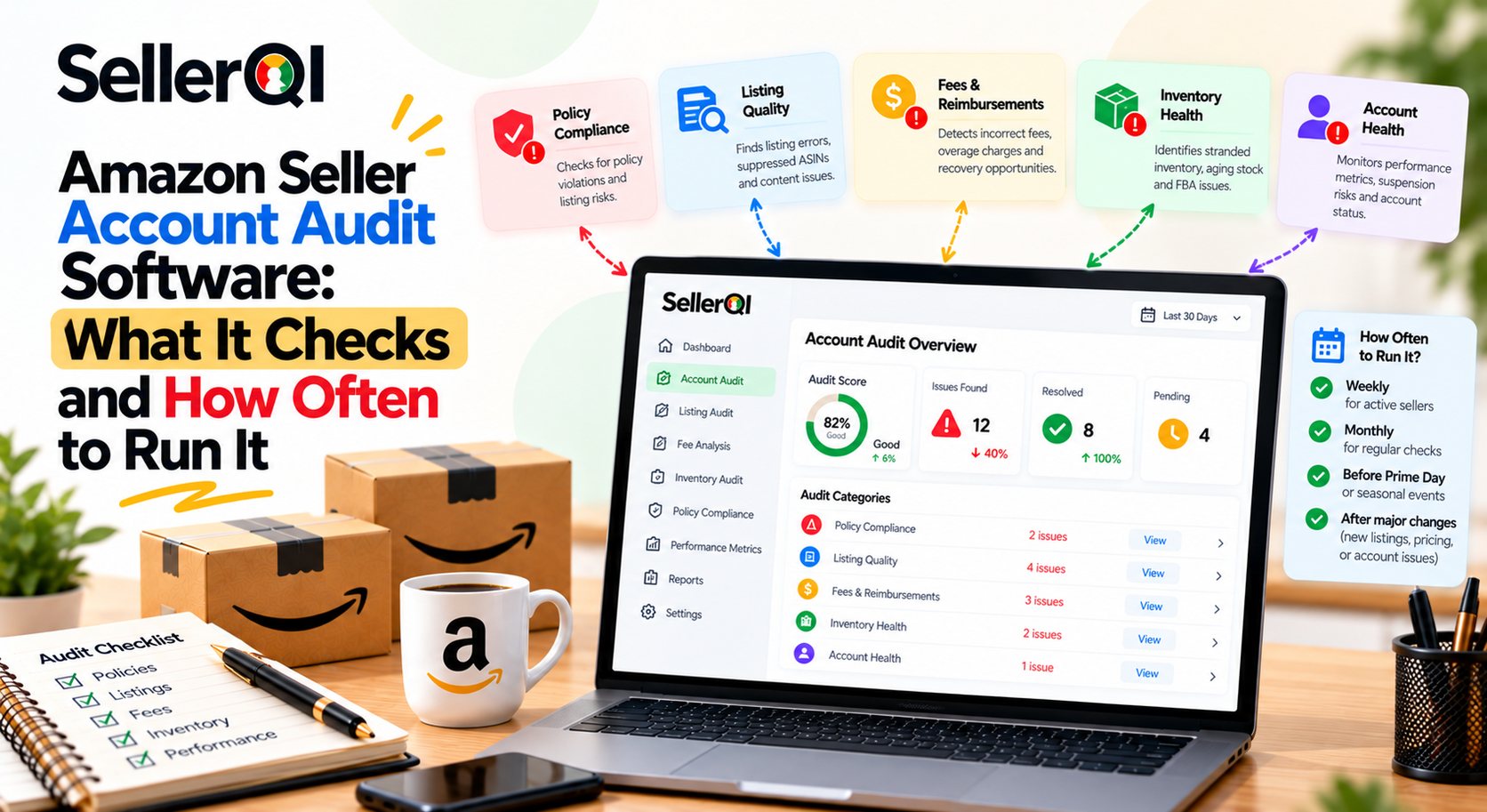
Amazon Seller Account Audit Software helps sellers identify listing problems, account health risks, wasted advertising spend, missed reimbursement opportunities, and product-level profitability issues. By reviewing these areas regularly, sellers can prioritize corrective actions, reduce avoidable losses, and make better decisions about their Amazon business without relying entirely on manual account checks.
What Is Amazon Seller Account Audit Software?
Amazon Seller Account Audit Software analyzes account data, listing conditions, performance metrics, and other available signals to help sellers identify issues that may affect sales, account health, or profitability. Depending on the platform, an audit may cover listing quality, advertising efficiency, reimbursement opportunities, and product-level financial performance.
A manual audit can be time-consuming, especially when a seller manages many ASINs or multiple marketplaces. An Amazon seller account audit tool helps organize important checks, highlight potential problems, and make recurring reviews more consistent.
However, no single tool necessarily checks every aspect of an Amazon account. Sellers should confirm which data sources, account areas, and diagnostic checks the software supports.
What Does Amazon Seller Account Audit Software Check?
A comprehensive Amazon seller account performance audit should examine the areas most likely to affect revenue, operational efficiency, and profit. The exact checks depend on the software and the permissions or data sources connected to it.
1. Listing Health and Suppression Issues
Listing audits identify product pages that may have missing information, indexing problems, suppression issues, or other conditions affecting visibility. These issues can make it harder for shoppers to discover or purchase products.
An audit should help sellers identify affected ASINs, investigate the underlying issue, and determine which listings need attention first.
2. Advertising Spend and PPC Waste
Advertising audits help sellers identify campaigns, ad groups, or search terms that may be consuming spend without delivering satisfactory results. Common warning signs include spend without attributed sales, weak conversion rates, and advertising costs that reduce product margins.
An Amazon seller account performance audit does not automatically mean every low-performing campaign should be paused. Sellers should consider attribution windows, campaign objectives, keyword discovery, and the role of each campaign before making changes with the help of SellerQI PPC audit tool.
3. FBA Reimbursement Opportunities
Amazon sellers may experience inventory discrepancies, damaged inventory, or other eligible events that warrant reimbursement investigation. Reimbursement-focused Amazon seller account analysis software can help identify potential cases for review.
Sellers should verify each opportunity against Amazon's records and applicable eligibility requirements. A flagged opportunity is not a guaranteed reimbursement.
4. Account Health and Policy Signals
An Amazon seller account analysis software platform may help sellers review account health indicators, policy notifications, listing restrictions, and performance-related warnings, depending on its integrations.
These checks can help sellers recognize issues that need investigation before they become more disruptive. Sellers should still review Seller Central for authoritative notices, deadlines, and required actions.
5. Product-Level Profitability
Sales revenue alone does not reveal whether an ASIN is profitable. A useful Amazon seller account performance audit examines relevant costs, such as advertising, fulfillment fees, returns, storage, promotions, and other applicable expenses when the data is available.
SellerQI's ASIN Profit Dashboard helps sellers assess product-level profitability using relevant cost information. This can help identify products generating revenue but contributing less profit than expected.
6. Sales and Revenue Changes
Amazon seller account audit automation can also examine changes in sales, revenue, and product performance. An unexpected decline may be connected to listing visibility, inventory availability, pricing, advertising efficiency, or demand.
Sellers should compare equivalent time periods and investigate related metrics before assuming that a revenue drop has a single cause.
How to Audit an Amazon Account Using Specialized Software?
Follow these six steps to audit an Amazon account using specialized software:
- Connect the account: Authorize the required account connection and confirm the software can access the data needed for the audit.
- Run the scan: Start the available diagnostic checks for listings, account health, advertising, reimbursements, and profitability.
- Review flagged issues by revenue impact: Prioritize problems affecting high-revenue ASINs, listing availability, account health, or significant spending.
- Fix the highest-priority items: Investigate each issue in Seller Central and take the appropriate corrective action.
- Document the changes: Record the issue, action taken, responsible person, and any relevant performance metrics.
- Re-run the audit: Check whether the issue has cleared and review whether the relevant performance indicators have improved.
This process makes an Amazon seller account audit tool part of a repeatable improvement cycle rather than a one-time checklist.
How Often Should You Run an Amazon Seller Account Audit?
Most sellers should conduct a lightweight review of important account signals regularly and complete a broader account audit at least monthly. Sellers with large catalogs, high advertising spend, frequent listing changes, or multiple marketplaces may benefit from more frequent reviews.
The right schedule depends on business complexity, issue severity, and the monitoring frequency supported by the software.
| Audit frequency | What to check | Why it matters |
|---|---|---|
| Daily or near-daily | Urgent account notices, major listing disruptions, inventory issues, and significant sales changes | Helps sellers respond to time-sensitive problems |
| Weekly | PPC efficiency, important ASIN performance, listing health, and pricing changes | Helps identify developing issues before the next full audit |
| Monthly | Product-level profitability, account trends, recurring listing issues, and reimbursement opportunities | Supports broader financial and operational decisions |
| Quarterly | Audit process, marketplace coverage, permissions, recurring losses, and reporting quality | Helps improve the overall account management workflow |
The table is a suggested operating schedule, not a requirement imposed by Amazon. Sellers should adapt it to their business and the capabilities of their chosen software.
For example, SellerQI's diagnostic engines run scans every 24 hours. That schedule can support recurring issue reviews, but it should not be interpreted as continuous monitoring or instant alerts for every possible account event.
How to Improve Margins With Amazon Seller Account Audit Software?
Amazon seller account audit software can help improve margins by identifying wasted PPC spend, potential unclaimed reimbursements, and suppressed listings that may be affecting sales. It helps sellers prioritize investigations and corrective actions instead of relying on revenue alone to judge account performance.
Where Can an Amazon Account Audit Reveal Margin Leaks?
- Wasted PPC: Identify advertising spend that may not be generating enough attributed sales or profit, then review whether bids, targeting, or campaign structure need adjustment.
- Unclaimed reimbursements: Investigate eligible inventory or fulfillment discrepancies that may qualify for reimbursement under Amazon's applicable policies.
- Suppressed listings: Find affected products, investigate the reason for suppression, and work to restore listing availability where possible.
- Unprofitable ASINs: Review product-level costs to identify products whose sales may not translate into adequate profit.
- Recurring account issues: Identify patterns that repeatedly consume time, reduce visibility, or create operational costs.
Worked Example: Estimate Potential Margin Recovery
Consider a seller who identifies $3,000 in monthly PPC spend that warrants review and $1,200 in potential reimbursement opportunities.
| Potential opportunity | Illustrative amount |
|---|---|
| PPC spend flagged for investigation | $3,000 |
| Potential reimbursement opportunities | $1,200 |
| Combined potential opportunities | $4,200 |
$3,000 wasted PPC + $1,200 unclaimed reimbursements = $4,200 a month in potential margin-recovery opportunities.
This is an illustrative scenario, not a guaranteed saving or recovered amount. The $3,000 is spend flagged for investigation, not necessarily spend that can all be eliminated without affecting sales. The $1,200 in reimbursements also requires verification and approval, and may be a one-time recovery rather than recurring monthly income.
The actual financial impact depends on the findings, eligibility, corrective actions, and resulting performance.
How SellerQI Supports Amazon Seller Account Audits?
SellerQI provides tools that help sellers investigate different areas of account performance and potential profit leaks. Its capabilities can support an audit workflow by bringing relevant diagnostics and product-level insights into one platform.
- Listing Health Scanner: Helps identify listing-related problems, including potential indexing issues and suppressed listings.
- Account Health Monitor: Helps sellers review account-level performance signals that may need attention.
- PPC Waste Finder: Highlights advertising spend that may warrant further investigation.
- Reimbursement Recovery: Helps sellers identify and investigate potential opportunities with reimbursement tools.
- ASIN Profit Dashboard: Helps sellers review product-level profitability after relevant costs.
Together, these tools can help sellers decide which issues to investigate first and evaluate their potential business impact. Results still need to be verified, and corrective actions should follow Amazon's applicable processes.
Frequently asked questions
What is the best Amazon seller account audit tool?
The best Amazon seller account audit tool depends on whether you need listing diagnostics, account health monitoring, advertising analysis, reimbursement investigation, or product-level profitability insights. SellerQI is worth considering for sellers who want tools such as the Listing Health Scanner, Account Health Monitor, PPC Waste Finder, Reimbursement Recovery, and ASIN Profit Dashboard to support their audit workflow.
Can Amazon seller account audit automation reduce manual work?
Yes. Amazon seller account audit automation can reduce repetitive checking by organizing supported diagnostics, highlighting potential issues, and making recurring reviews easier to manage. Sellers should still verify flagged issues, review Amazon's official notifications, and make informed decisions before changing listings or campaigns.
How often should I use Amazon seller account analysis software?
A monthly comprehensive audit is a useful starting point, supplemented by more frequent reviews of urgent account signals, listing availability, and advertising performance. Sellers with large catalogs or higher operational risk may need a more frequent schedule. The best frequency also depends on the software's scan interval and the data it can access.
Can an Amazon seller account performance audit identify unprofitable products?
Yes, if the audit includes reliable product-level sales and cost data. Reviewing relevant fulfillment fees, advertising costs, returns, storage, and other expenses can help sellers distinguish products that generate revenue from products that contribute meaningful profit.
Does Amazon seller account audit software automatically fix every issue?
No. Audit software can flag issues and help sellers investigate them, but many problems require manual verification or corrective action in Seller Central. Some issues also depend on Amazon's review process, policy requirements, or reimbursement eligibility.
Can an Amazon seller account audit tool help identify suppressed listings?
Yes, some tools can flag suppressed listings or other listing-health problems. Sellers should review the affected ASIN in Seller Central, check the stated reason, make the required corrections, and verify whether the listing has returned to an active state.
What should I prioritize after an Amazon seller account audit?
Prioritize issues by urgency and likely business impact. Account health risks, suppressed high-performing listings, major inventory problems, and significant advertising waste may deserve early attention. Then investigate reimbursement opportunities, product profitability, and recurring operational issues.