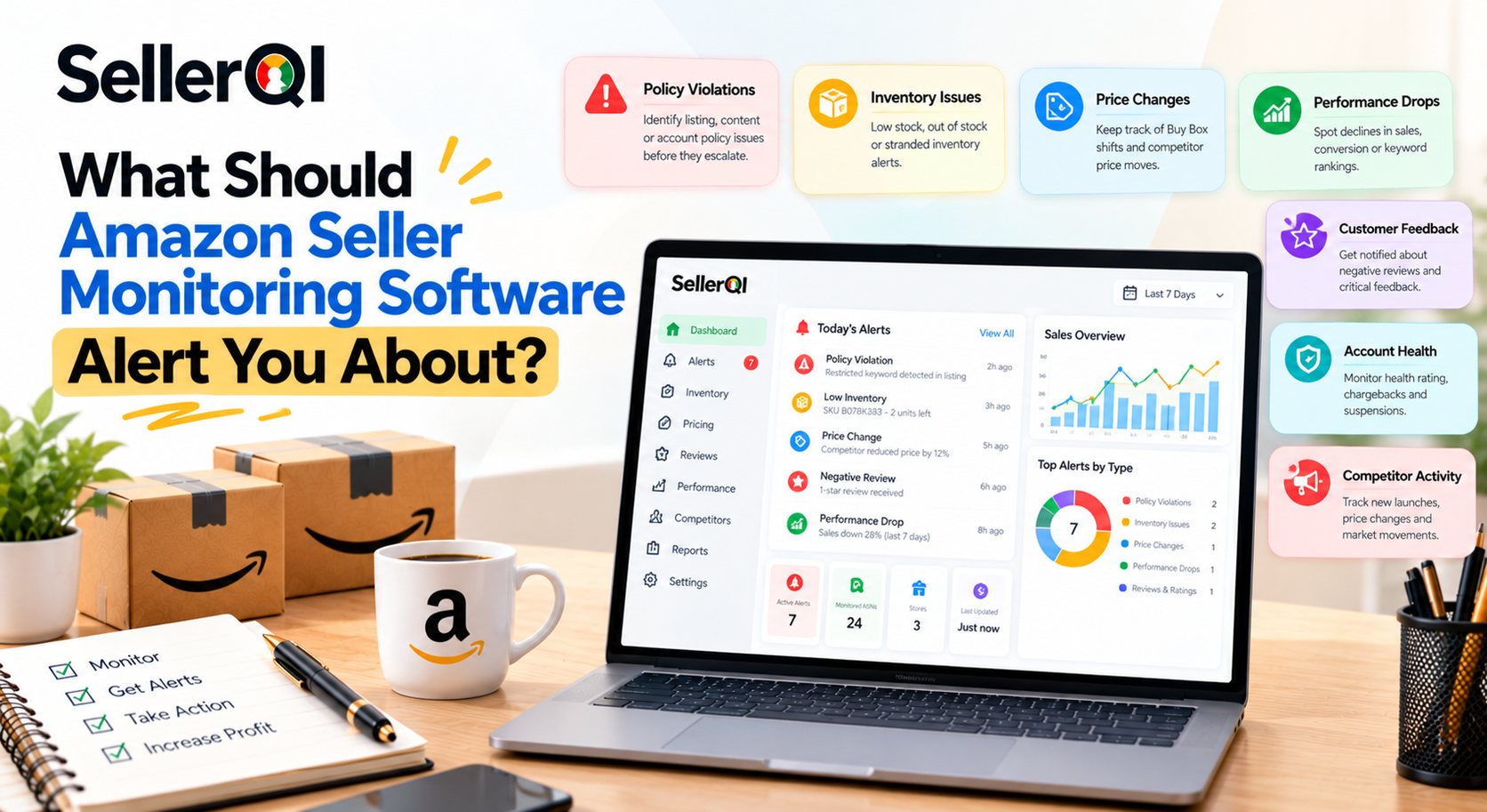
Amazon Seller Monitoring Software Alerts help sellers detect listing suppressions, unauthorized listing changes, Buy Box losses, price changes, and revenue drops before they cause greater business problems. SellerQI helps Amazon sellers identify account and listing issues through diagnostic scans that run every 24 hours, giving sellers actionable signals to investigate and address potential profit leaks.
Why Do Amazon Sellers Need Monitoring Alerts?
Amazon sellers need monitoring alerts to identify problems that can affect product visibility, sales, profitability, and account health. Without a consistent monitoring process, sellers may overlook suppressed listings, unexpected revenue declines, or changes to product pages until performance has already suffered.
A product can generate steady sales one day and lose visibility the next. A listing may become suppressed, a key product detail may change, or the Buy Box may disappear. If sellers discover these problems late, they may lose sales opportunities and spend additional time investigating the cause.
Amazon Seller Monitoring Software Alerts help sellers monitor important changes instead of relying entirely on manual checks. The most useful alerts highlight what changed, why it matters, and what action the seller should consider next.
What Problems Should Amazon Seller Monitoring Software Detect?
Effective Amazon listing monitoring software should help sellers identify:
- Listing suppression: Products become inactive, suppressed, or unavailable for purchase.
- Listing content changes: Titles, bullet points, images, or other product details change unexpectedly.
- Buy Box loss: A product loses the Featured Offer position, potentially affecting conversions.
- Price changes: Product prices change unexpectedly or move outside the seller's intended range.
- Revenue drops: Sales decline beyond normal fluctuations and require investigation.
- Account health issues: Policy violations, performance notifications, or other account risks need attention.
Monitoring coverage varies by software, marketplace, and connected data source. Sellers should verify which alerts a platform actually supports before relying on it for critical issues.
Which Amazon Seller Monitoring Software Alerts on Hijackers and Listing Changes?
A good Amazon monitoring tool should cover hijacker signals, listing content changes, Buy Box loss, price changes, and suppressions. SellerQI's diagnostic engines scan every 24 hours, helping sellers identify supported listing and account issues during scheduled checks; this is not the same as continuous, real-time alerting.
| Alert type | What it signals | Risk if missed |
|---|---|---|
| Hijacker or unauthorized seller signals | Unexpected sellers, offer changes, or other signs that require investigation | Lost sales, pricing pressure, or customer confusion |
| Listing content changes | Unexpected edits to titles, bullet points, images, or product details | Reduced conversion rates, inaccurate information, or weaker listing relevance |
| Buy Box loss | The product is no longer winning the Featured Offer position | Lower sales opportunities and reduced conversion potential |
| Price changes | A price moves unexpectedly or differs from the seller's intended pricing | Margin erosion, pricing inconsistency, or reduced competitiveness |
| Amazon listing suppression alerts | A listing is suppressed, inactive, or affected by a compliance issue | Reduced visibility or inability to purchase the product |
| Amazon revenue drop alerts | Sales or revenue fall below an expected level | Delayed discovery of demand, listing, pricing, or advertising problems |
| Account health alerts | A policy, performance, or account-level issue needs attention | Account restrictions or further operational disruption |
Important: Not every Amazon monitoring platform detects every alert type. Confirm whether hijacker detection, Buy Box tracking, price monitoring, and revenue anomaly alerts are supported by the specific tool and marketplace you use.
How Should Sellers Respond to Monitoring Alerts?
An alert is useful only when it leads to a timely investigation. Sellers should first verify the issue in Seller Central, identify the affected ASIN or offer, and then choose an appropriate response.
- Confirm the issue: Check the relevant listing, offer, account notification, or sales report.
- Assess the impact: Determine whether the issue affects availability, visibility, conversion, or profit.
- Prioritize urgent problems: Address suppressed high-selling products and account risks before minor content changes.
- Take corrective action: Follow Amazon's applicable process for listing corrections, policy issues, pricing, or offer management.
- Verify the result: Recheck the listing and monitor performance after making changes.
SellerQI can support this workflow by helping sellers investigate listing health, account signals, and product-level performance. Sellers should still verify the underlying issue before taking action.
How to Choose Reliable Amazon Seller Monitoring Software?
Choose reliable Amazon seller monitoring software by checking alert speed, issue coverage, alert prioritization, marketplace support, actionable guidance, and data reliability. A useful platform should make important problems easier to identify and investigate instead of simply generating a large volume of notifications.
Use this decision checklist before selecting a tool.
Amazon Seller Monitoring Software Decision Checklist
- Alert speed: Does the tool check issues frequently enough for your business? Does it clearly distinguish real-time alerts from scheduled scans?
- Hijacker and listing-edit coverage: Can it detect the specific unauthorized seller signals and listing changes that matter to your products?
- Alert prioritization: Does it separate high-risk issues from routine changes, or does it create unnecessary alert noise?
- Multi-marketplace support: Can you monitor the Amazon marketplaces where you sell, with appropriate coverage for each region?
- Actionable recommendations: Does each alert explain what changed, the potential impact, and the next step to investigate?
- Reliable data and visibility: Can you trace an alert to a relevant ASIN, account notification, or performance metric and verify the issue in Seller Central?
An Automated Amazon seller alerts tool that satisfies these criteria can make monitoring amazon competitors more manageable, particularly for sellers with large catalogs or multiple marketplaces. Before committing, test the platform against a few known listing issues and confirm how its alerts are generated.
How Do Amazon Listing Suppression Alerts Protect Sales?
Amazon listing suppression alerts help sellers identify product pages that may have lost visibility or become unavailable for purchase. They allow sellers to investigate listing problems earlier, reducing the chance that a fixable issue remains unnoticed for an extended period.
Suppression can result from missing product information, image requirements, category-specific rules, compliance concerns, or other listing problems. The exact cause depends on the product and Amazon's current requirements.
What Should Sellers Check After a Suppression Alert?
When an Amazon listing suppression alert appears, sellers should:
- Open the affected ASIN in Seller Central.
- Review the listing status and any stated reason for suppression.
- Check the requested attributes, images, documentation, or compliance information.
- Correct the underlying issue using Amazon's instructions.
- Recheck the listing status to confirm whether the issue has been resolved.
Amazon listing suppression alerts are especially important for products that generate a significant share of revenue. However, the alert itself does not guarantee that a listing can be restored; the seller must address the specific cause and follow Amazon's review process when required.
How Can Amazon Revenue Drop Alerts Reveal Hidden Problems?
Amazon revenue drop alerts help sellers notice unusual sales declines that may otherwise be hidden among daily fluctuations. A sudden drop can indicate a listing issue, Buy Box loss, pricing change, stock problem, weaker demand, or a change in advertising performance.
Revenue alone does not explain why performance has changed. Sellers should compare sales with related metrics to find the likely cause.
| What changed? | What to investigate |
|---|---|
| Revenue and sessions both declined | Search visibility, listing status, inventory availability, and demand |
| Sessions stayed stable but orders declined | Conversion rate, price competitiveness, reviews, and Buy Box status |
| Sales declined while advertising spend stayed high | Campaign performance, search-term relevance, and wasted PPC spend |
| One ASIN declined while others remained stable | Product-specific listing changes, stock status, price, and competition |
| Several ASINs declined together | Marketplace trends, account issues, inventory constraints, and broader demand changes |
These patterns are diagnostic clues, not definitive explanations. Sellers should compare equivalent time periods and account for seasonality, promotions, stockouts, and normal demand variation before making major changes.
How SellerQI’s Amazon Seller Monitoring Software helps sellers Investigate Listing and Account Issues?
SellerQI brings together Automated Amazon seller alerts tools that help sellers examine listing health, account signals, advertising efficiency, and product profitability. Rather than treating every alert as an isolated event, sellers can use these insights to investigate how an issue may affect overall account performance.
Relevant SellerQI capabilities include:
- Listing Health Scanner: Helps identify listing-related issues, including potential indexing problems and suppressed listings.
- Account Health Monitor: Helps sellers review account-level performance signals and issues that need investigation.
- ASIN Profit Dashboard: Helps sellers assess product-level profitability and understand how relevant costs affect results.
- PPC Waste Finder: Helps identify advertising spend that may warrant closer review.
- Reimbursement Recovery: Helps sellers investigate potential reimbursement opportunities.
These capabilities support different parts of seller monitoring. They should not be interpreted as confirmation that every SellerQI feature provides real-time hijacker detection, live price tracking, or instant Buy Box notifications. Sellers should verify specific alert coverage and scan frequency against their requirements.
Frequently asked questions
What is the best Amazon seller monitoring software?
The best Amazon seller monitoring software depends on the issues you need to track, how quickly you need alerts, and the marketplaces you operate in. SellerQI is worth considering for sellers who want to investigate listing health, account signals, advertising waste, reimbursement opportunities, and product-level profitability within one platform. Before choosing, confirm that its monitoring coverage and scan frequency match your operational needs.
Which Amazon seller monitoring software offers real-time alerts?
Real-time alerting depends on the software and the issue being monitored. SellerQI's diagnostic engines run scans every 24 hours, so sellers should not treat its scheduled diagnostics as instant, real-time notifications. If immediate notification of hijackers, price changes, or Buy Box losses is essential, verify that the chosen platform supports event-based or continuous monitoring for those specific signals.
How do Amazon listing suppression alerts help sellers?
Amazon listing suppression alerts help sellers identify listings that may be inactive, suppressed, or affected by missing information or compliance requirements. Sellers can investigate the stated cause in Seller Central, correct the issue, and verify whether the listing becomes active again.
Can Amazon listing monitoring software detect unexpected product page changes?
Some Amazon listing monitoring software can track selected changes to titles, images, bullet points, descriptions, or other product details. Coverage varies by platform, so sellers should check which fields are monitored and whether they receive a notification when a change is detected.
Why should sellers use automated Amazon seller alerts instead of manual checks?
Automated Amazon seller alerts can reduce dependence on repetitive manual checks and help sellers identify supported issues more consistently. Manual verification is still important because alerts need context, and sellers must confirm the underlying problem before changing a listing, price, or campaign.
What causes Amazon revenue drop alerts?
Amazon revenue drop alerts may be triggered by lower order volume, reduced conversion, inventory problems, listing suppression, Buy Box loss, price changes, advertising performance, or changing demand. Sellers should compare revenue with sessions, conversion rate, inventory status, and advertising metrics to investigate the cause.
What should sellers do when an Amazon monitoring alert appears?
Sellers should verify the alert in Seller Central, identify the affected ASIN or account area, assess the business impact, and follow the appropriate corrective process. After taking action, they should recheck the issue and monitor the relevant performance metrics to confirm whether conditions have improved.