TL;DR
Don't expand to multiple Amazon marketplaces until your home marketplace is running on autopilot, listings clean, PPC profitable, and reimbursements tracked.
Start with the easiest wins first: Pan-European FBA (UK, Germany, France, Italy, Spain) and Canada before tackling Japan or Australia.
Inventory management across regions means setting marketplace-specific reorder points, not applying global averages to every market.
Cross-border compliance is not DIY territory. Use dedicated VAT services like Avalara or Taxually and automate your listing compliance monitoring per marketplace.
One dashboard beats five Seller Central tabs, like centralizing account health, task prioritization, and profit data by marketplace is what keeps a small team sane at scale.
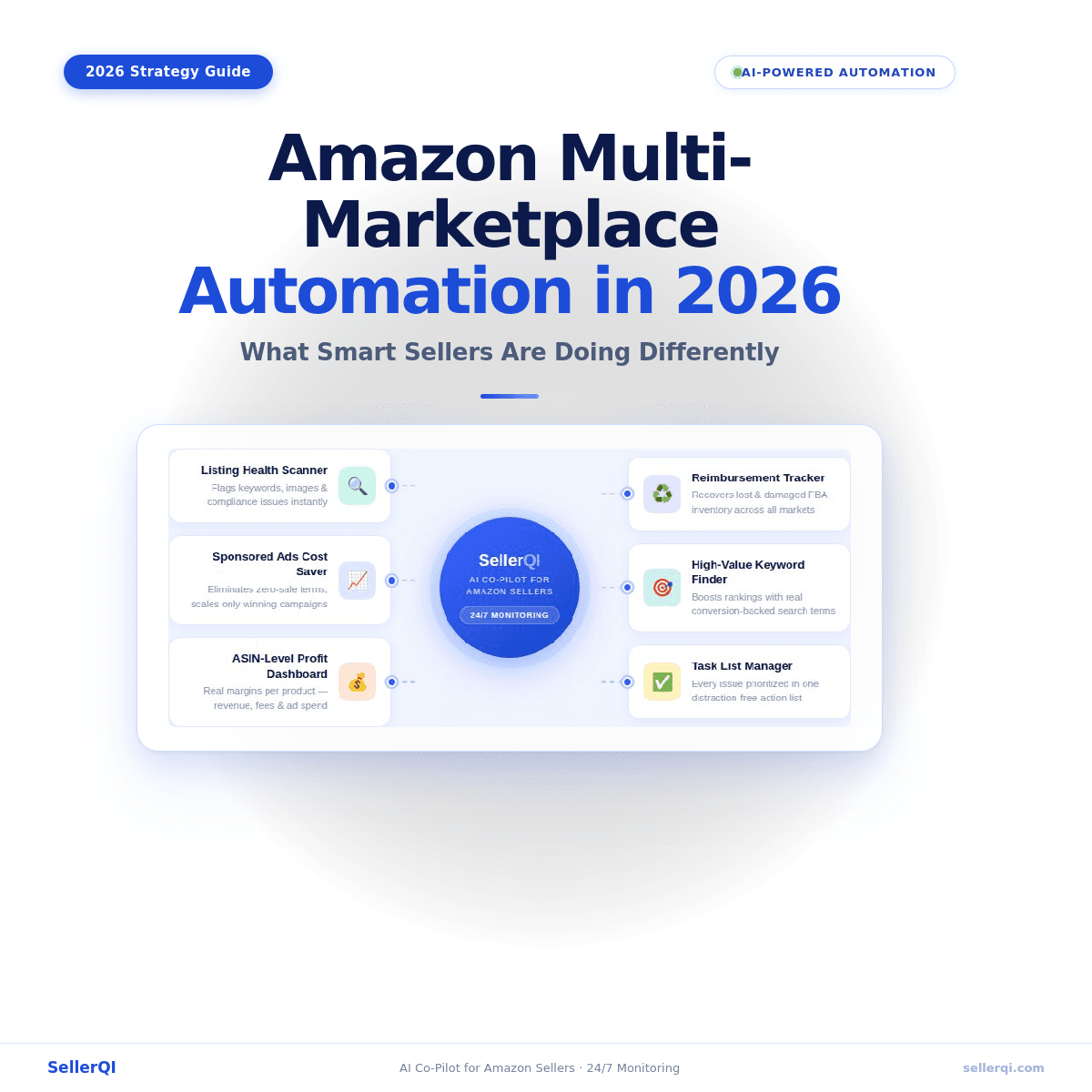
SellerQI handles the monitoring, detection, and task prioritization across every marketplace you operate in, so your focus stays on growth decisions, not daily firefighting.
You've built a solid Amazon business in one marketplace. Sales are consistent. You know your numbers. But every time you think about expanding globally, it feels like you'd be starting from scratch, new tax rules, new compliance headaches, new fulfillment logistics, and somehow managing it all without doubling your team.
Here's the truth: the sellers winning at global Amazon expansion in 2026 aren't working harder. They're automating smarter. This guide breaks down exactly how to approach selling on Amazon multi-marketplace channels, which ones to enter first, how to automate, and how to keep everything profitable without losing your mind.
Which marketplaces should I enter first?
Not all international marketplaces are created equal, and trying to enter five countries at once is a fast track to chaos. Begin with the markets that give you the most return for the least effort.
Amazon Europe (UK, Germany, France, Italy, Spain): These five share a unified inventory system through Pan-European FBA. One shipment to Amazon's European network, and they redistribute for you. If you're already in the US, this is the most logical first step for global Amazon expansion.
Amazon Canada: Same language, similar consumer behavior, and relatively straightforward tax setup compared to EU VAT. A natural bridge market.
Amazon Japan and Australia: Higher barriers (language, local compliance), but significantly less competition than the US. Better suited as a second wave once you've built your cross-border processes.
The criteria for your first expansion should include existing product-market fit signals, competition density, and fulfillment readiness, not just market size. Entering a large market before you're prepared is an expensive mistake.
What does "automation-ready" actually mean before you expand?
Before you start to automate Amazon international selling across multiple marketplaces, you need your home marketplace running on autopilot first.
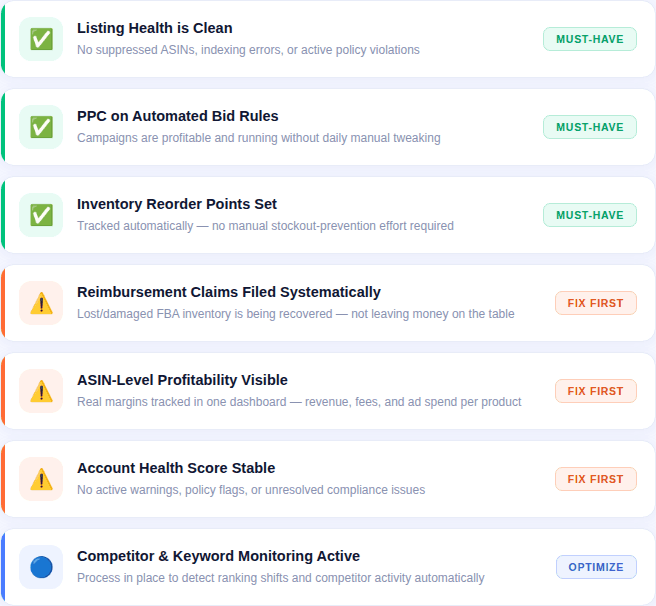
Your pre-expansion automation checklist:
Listing health is good with no suppressed ASINs, no indexing errors, and no policy violations.
PPC campaigns are profitable and run on automated bid rules, not manual daily tweaking.
Inventory reorder points are set and tracked automatically.
Reimbursement claims for lost/damaged FBA inventory are being filed systematically.
ASIN-level profitability is visible in a single dashboard, so you know your real margins.
The account health score is stable (no active warnings or policy flags).
You have a process for monitoring competitor activity and keyword ranking shifts.
If you can't check off most of these for your current marketplace, fix that first. SellerQI acts as an operational intelligence platform that gives you all of this in one place. It gives you a listing health score, PPC waste detection, reimbursement tracking, and ASIN-level profit breakdowns. So you can confirm you're actually ready before committing to expansion.
How do I manage inventory across multiple Amazon marketplaces?
Managing inventory for one marketplace feels manageable. Add three more countries, and you're suddenly dealing with separate FBA warehouses, different lead times, currency fluctuations affecting your replenishment math, and stockout risks multiplied across regions. Here's how to approach it practically:
Use Pan-European FBA or North America Remote Fulfillment (NARF) wherever possible: These programs let Amazon move inventory across regional fulfillment centers on your behalf. Less micro-management, broader coverage.
Set marketplace-specific reorder points: A product that sells 50 units/day in the US might sell 8/day in Germany. Your replenishment triggers need to reflect local velocity, not global averages.
Track reimbursements per marketplace: Lost and damaged inventory happens in every FBA warehouse. When you're managing multiple Amazon accounts across regions, those unclaimed reimbursements stack up fast and invisibly. SellerQI's reimbursement recovery tracker flags these across your account, so nothing slips through.
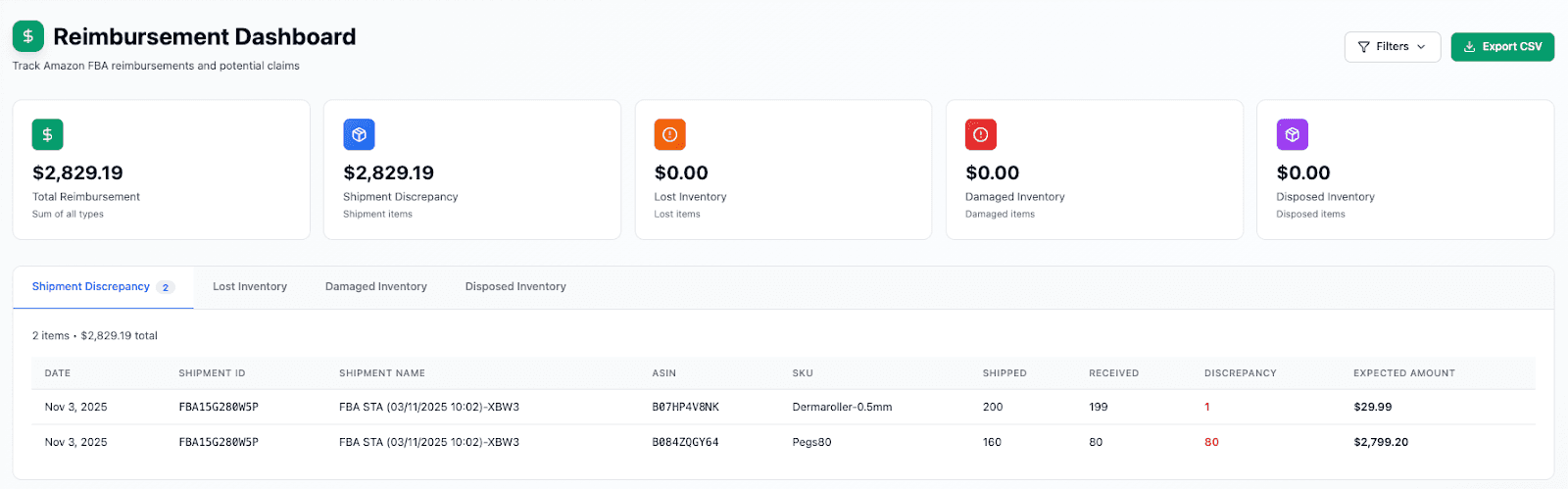
SellerQI’s Reimbursement Dashboard
Centralize your profit view. The biggest risk with Amazon multi-marketplace selling is thinking you're profitable overall when one market is quietly bleeding cash. SellerQI's ASIN-level profit dashboard breaks down revenue, fees, and ad spend per product so you can see exactly which markets are contributing margin and which ones need intervention.
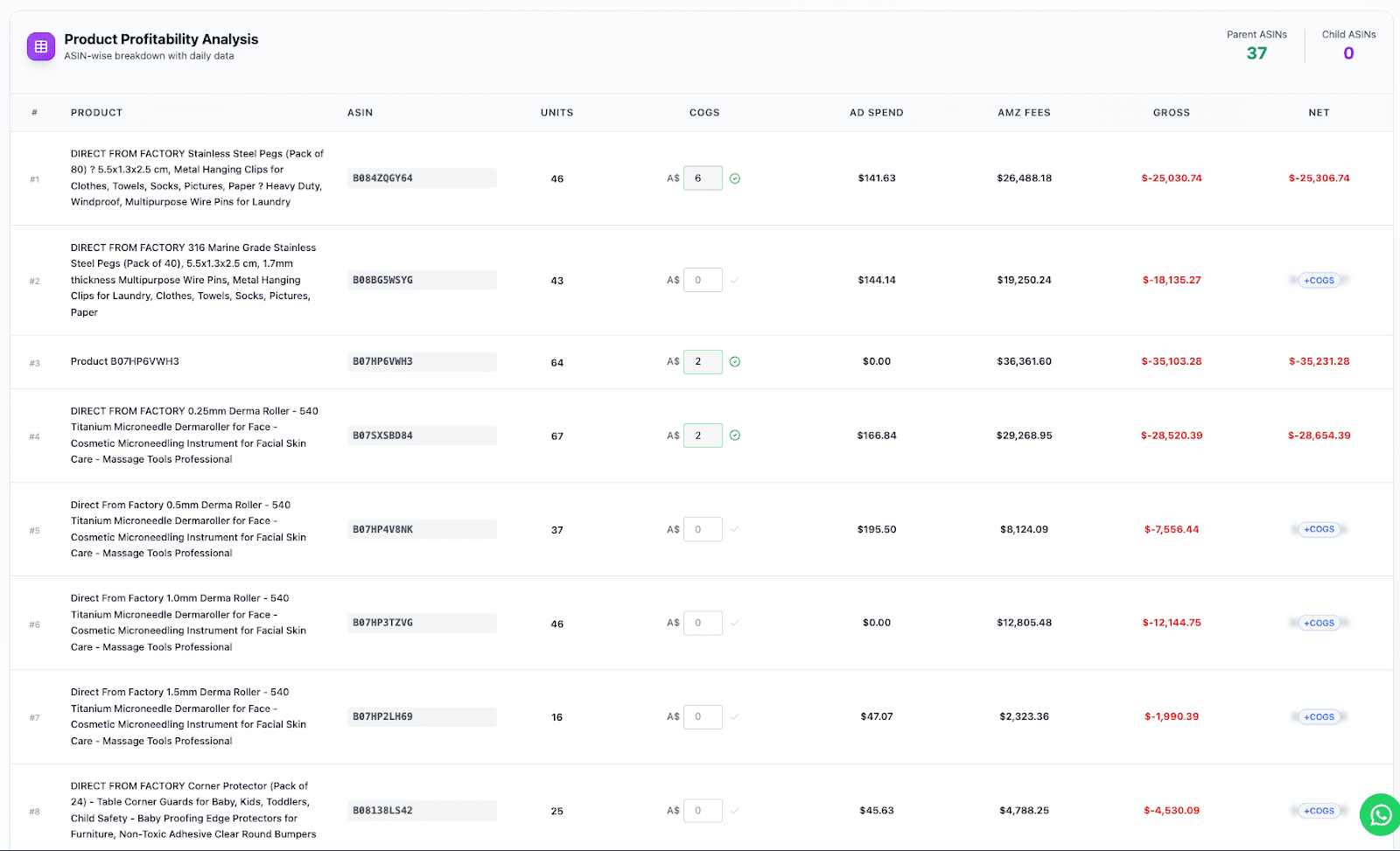
SellerQI's ASIN-level Profit Dashboard
What's the right way to automate cross-border compliance?
VAT registration, import duties, product compliance certifications, restricted keywords per country, and compliance are part of the global Amazon expansion that scares sellers most, and for good reason. Getting it wrong triggers account suspensions, not just fines. The practical approach in 2026:
#1 VAT/GST
When you manage multiple Amazon accounts across EU marketplaces, use a dedicated tax compliance service like Avalara, Taxually, or Amazon's own VAT Services to handle registration and filing.
#2 Listing compliance per marketplace
Every marketplace has its own rules around product titles, restricted terms, and required certifications. A listing that's fully compliant in the US can get suppressed in Germany for a missing safety declaration.
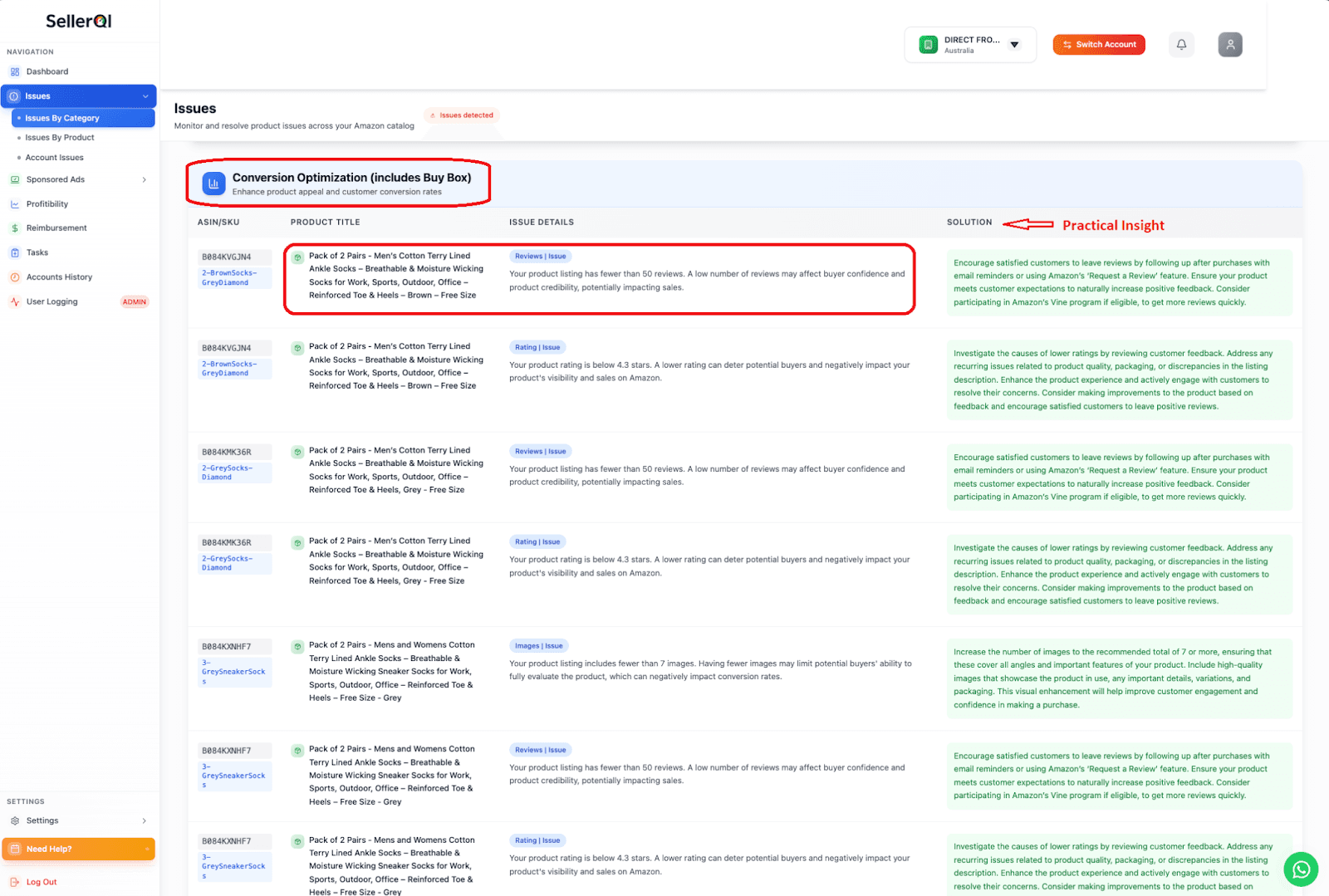
SellerQI's Listing Scanner
SellerQI's listing health scanner checks your listings against compliance requirements and flags violations before they cost you visibility. This matters especially when you're replicating listings across new markets.
#3 Keyword localization
This isn't just a translation. "Trainers" and "sneakers" are the same product; German shoppers search differently than British shoppers, even within the same language family. Each localized listing needs its own keyword research pass.
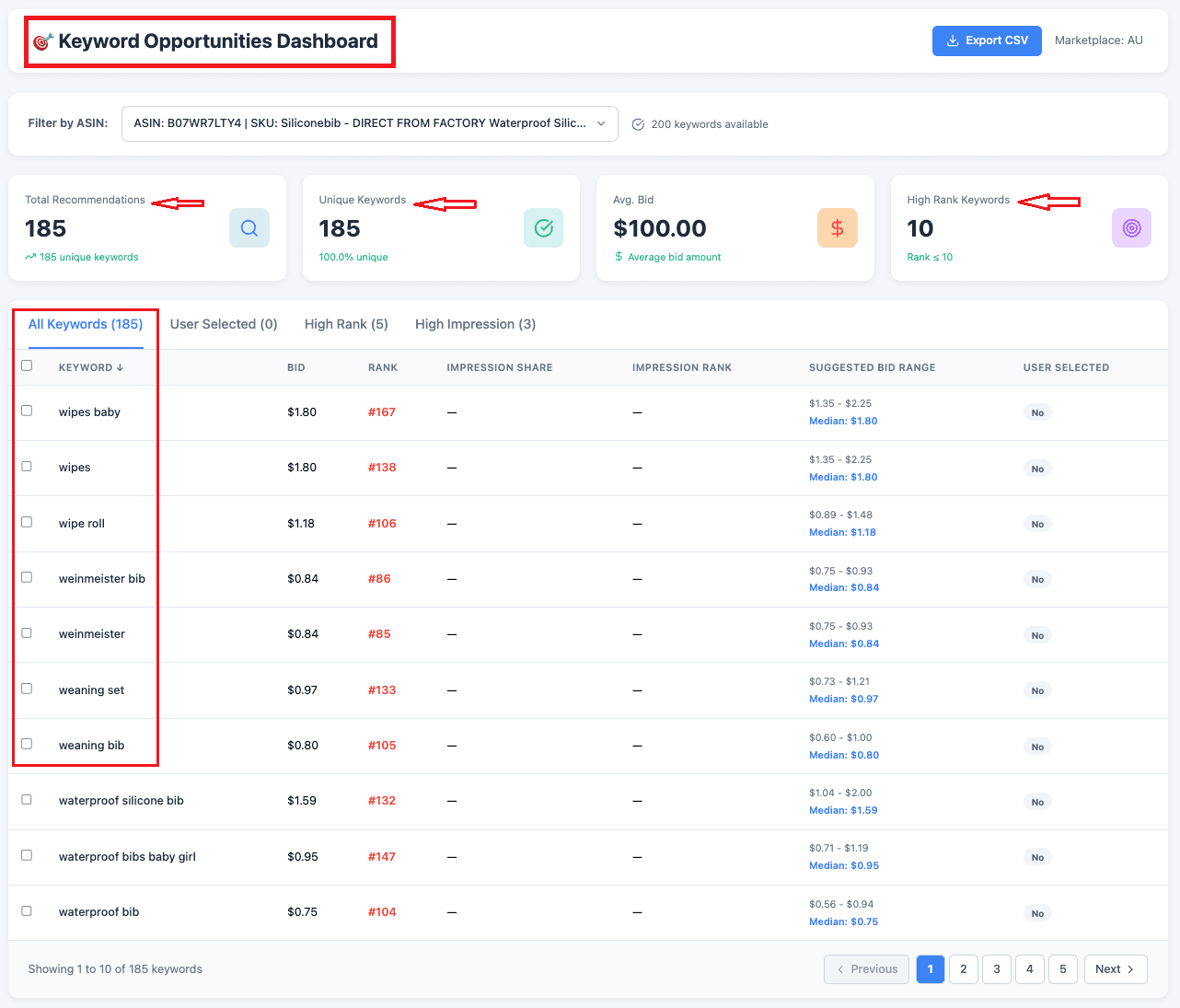
SellerQI’s keyword Opportunities Dashboard
The goal is to automate your monitoring so compliance issues surface immediately rather than after a suppression event. In a multi-country setup, you simply cannot manually check every listing in every marketplace every day.
How can I unify my operations across countries without a big team?
The fear most sellers have about global expansion is that it requires hiring country managers, regional account specialists, and a dedicated operational team. The new model is related to one lean team with the right multi-country Amazon seller analytics tools. Here's what that looks like operationally:
1. One dashboard for all account health
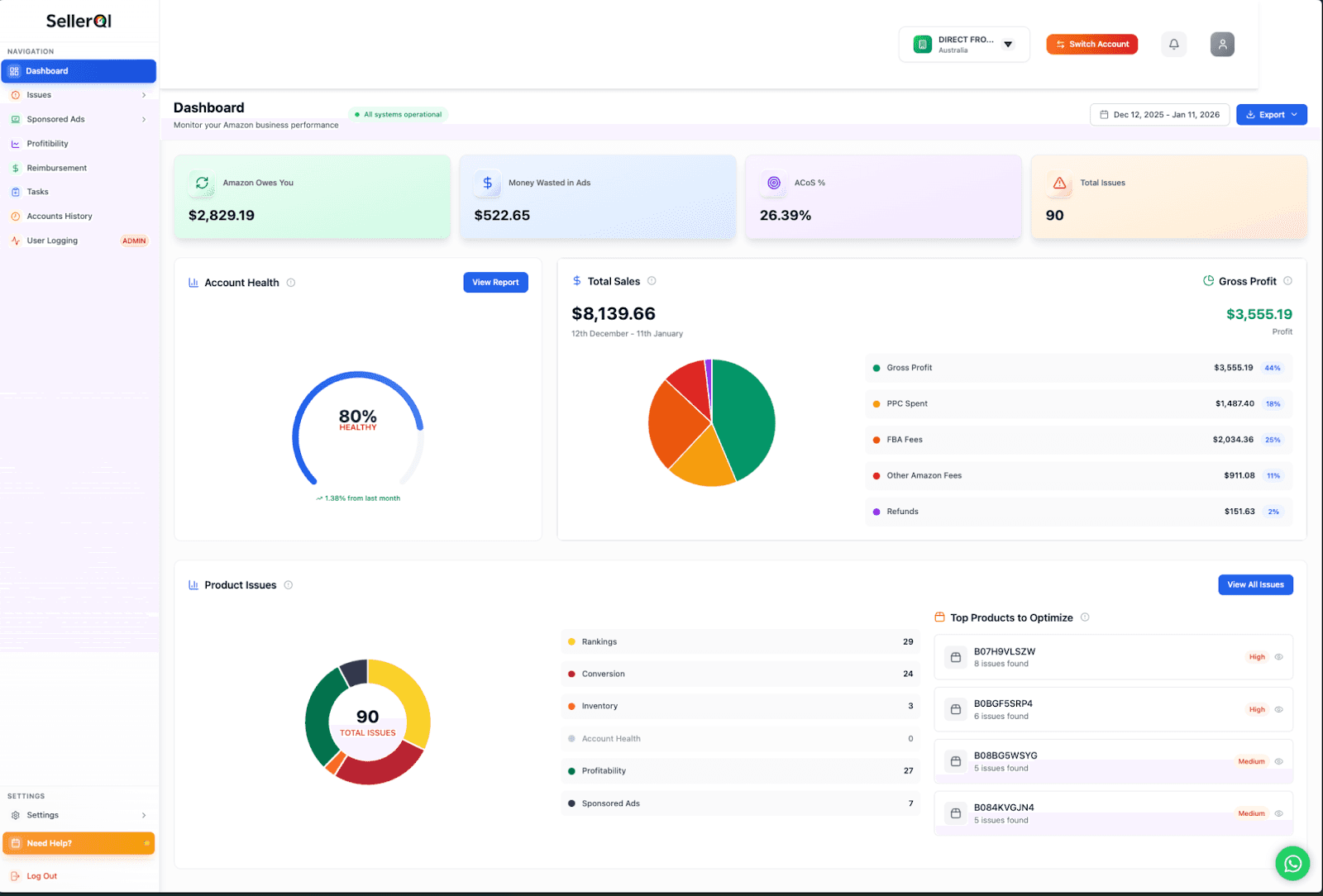
SellerQI’s All-in-one Dashboard
Whether it's a UK listing getting suppressed or a Canadian PPC campaign bleeding spend, you need a single view that surfaces issues across all marketplaces. SellerQI connects to your Amazon account via API and centralizes everything, with no jumping between Seller Central reports.
2. Automated task prioritization
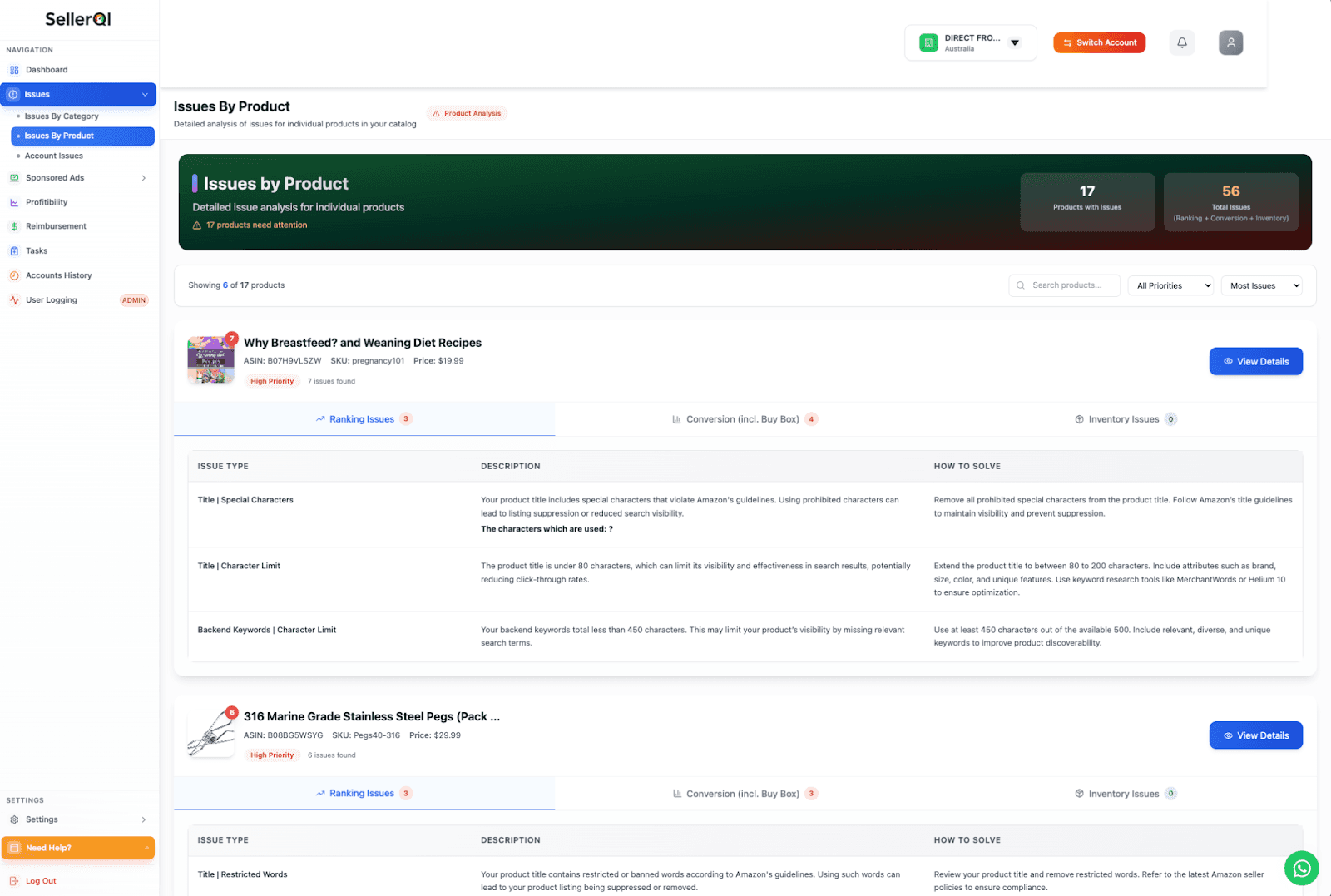
SellerQI’s Task List As Per The Product
When you're managing multiple Amazon accounts, the volume of "things to check" explodes, especially once cross-border Amazon automation is part of your operation. SellerQI's task list manager converts every issue, such as listing gap, keyword opportunity, compliance flag, and Amazon reimbursement claim, into a prioritized to-do list. You show up, work the list, and move on.
3. Amazon PPC automation
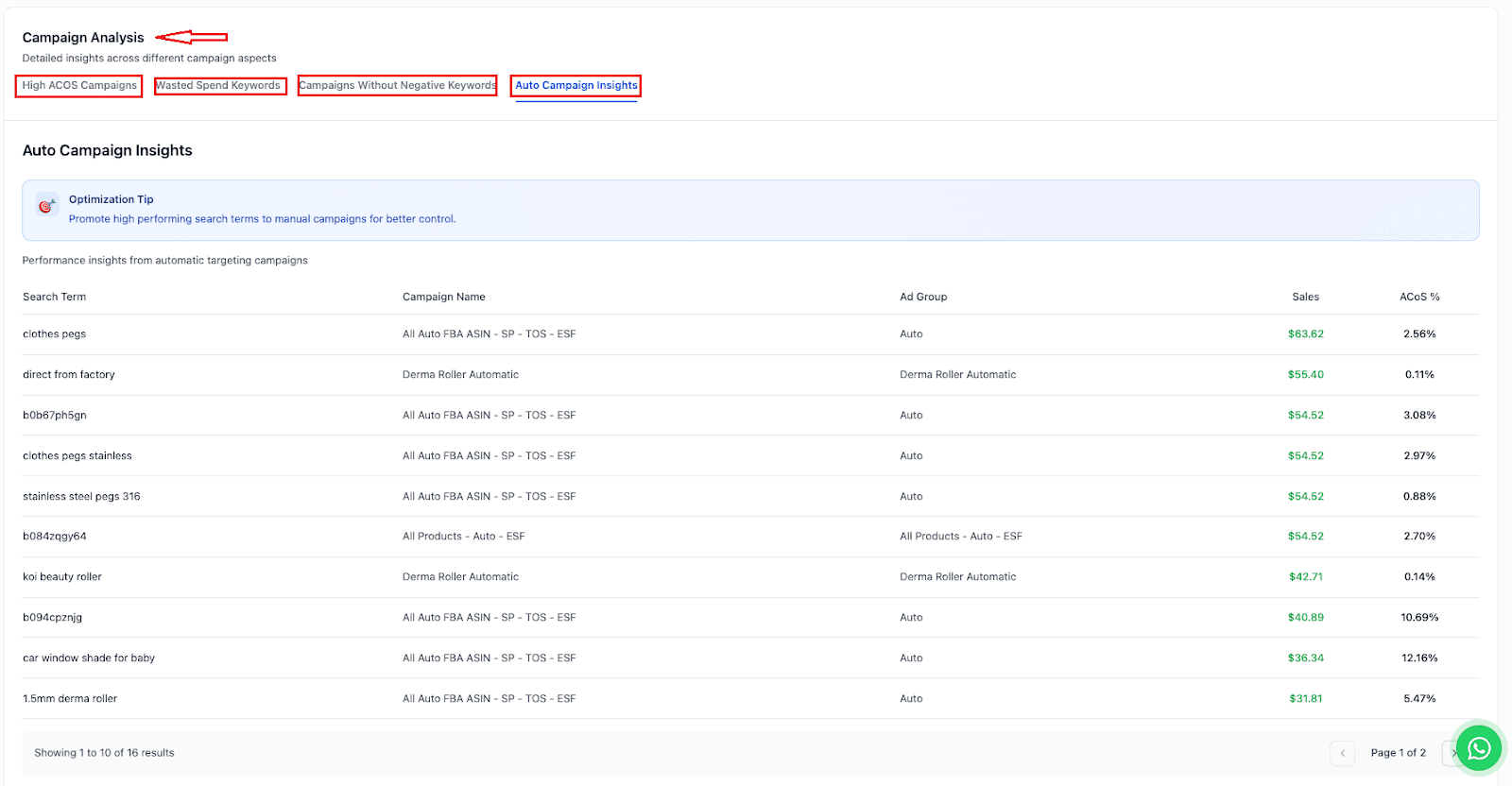
SellerQI's Campaign Analysis
Don't copy-paste your US campaigns into other markets and expect the same results. Each marketplace needs localized keyword harvesting and bid optimization. Use SellerQI's Sponsored Ads to identify zero-sale search terms draining budget in each region, and eliminate waste before it compounds.
The principle here is simple. Automate the monitoring and detection, so your human attention goes only to strategic decisions.
Ready to expand without the chaos?
Selling on multiple Amazon marketplaces in 2026 is genuinely achievable for a solo operator or small team, but only with the right automation and multi-country Amazon tools. The strategy is straightforward: pick the right markets in the right order, get your home marketplace running on autopilot first, then replicate your systems into each new region.
SellerQI is built exactly for this. The one AI-powered dashboard that keeps your listings clean, your ads profitable, your reimbursements recovered, and your account health strong across every marketplace you operate in.
Start your free account scan at SellerQI and see everything that's affecting your growth, before it becomes a bigger problem.
FAQs
What are the best Amazon automation tools for 2026?
The best tools in 2026 combine AI-driven insights with actionable insights. SellerQI scans your listings, PPC campaigns, reimbursements, and account health 24/7 and converts every issue into a prioritized task.
How does Amazon Multi-Channel Fulfillment work in 2026?
Amazon Multi-Channel Fulfillment (MCF) lets you use your FBA inventory to fulfill orders placed outside of Amazon. In 2026, MCF supports faster shipping tiers, making it viable for cross-border order fulfillment beyond just the US. MCF fees are higher than standard FBA fulfillment fees, so factor that into your margin calculations per channel.
Can I use FBA inventory to fulfill orders on Walmart and Shopify?
Yes. through Amazon MCF. For Shopify, there's a direct MCF integration available in the Shopify App Store. For Walmart, you'll need a third-party connector since Walmart and Amazon don't have a native integration.