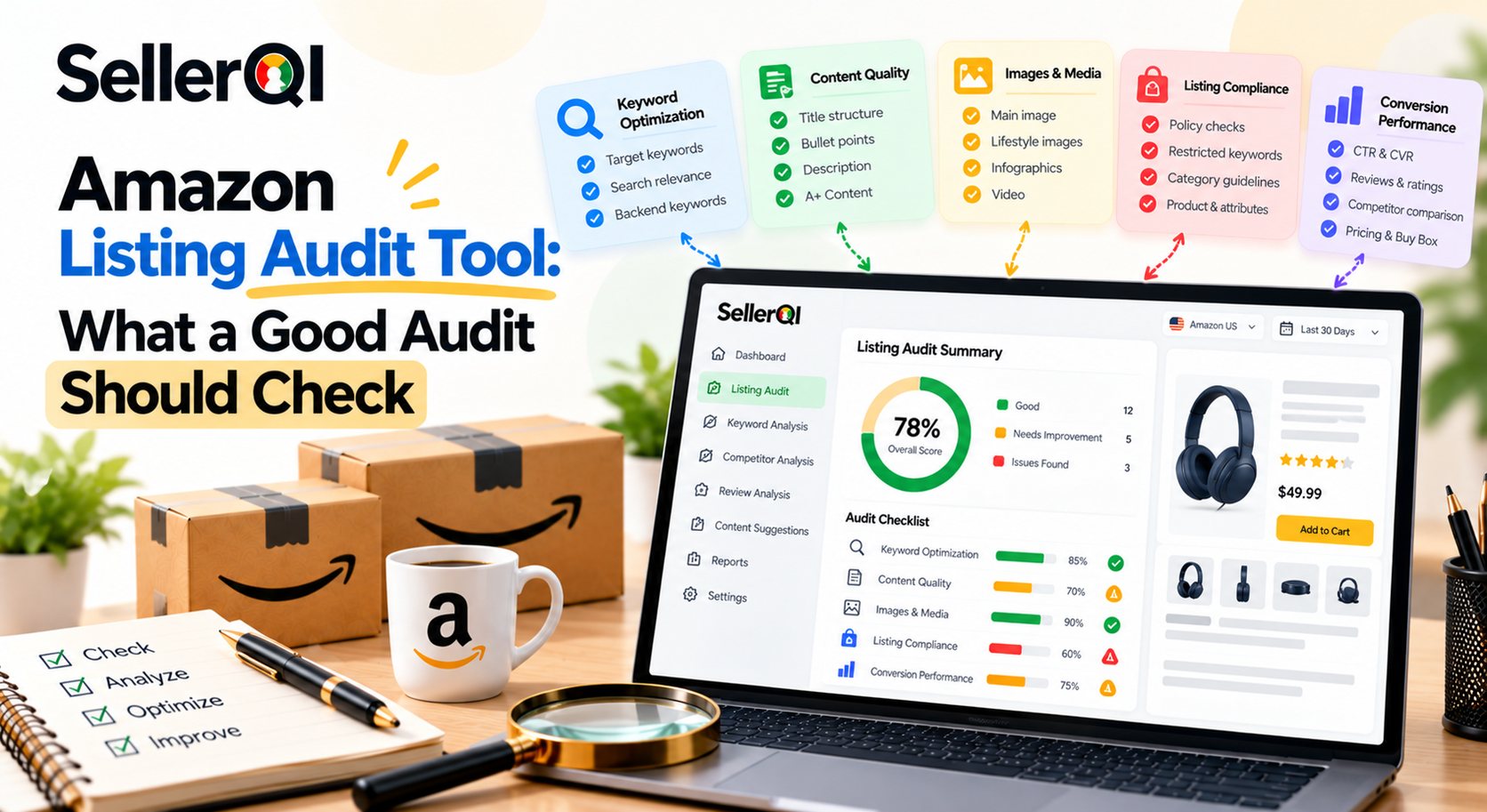
An Amazon listing audit tool helps sellers identify problems that affect product visibility, listing quality, compliance, and conversion performance. A complete audit should check suppression status, search indexing, titles, bullet points, images, backend search terms, restricted wording, and A+ Content. The goal is to find the issues that matter most and fix them in order of business impact.
An Amazon listing can lose visibility or conversions even when the product itself is competitive. Missing keywords, suppressed listings, weak images, and incomplete product information can all affect performance. Making random edits without identifying the underlying problem can waste time and introduce new errors.
A systematic Amazon Tracking Tool gives sellers a clearer picture of what needs attention, why it matters, and which changes should come first. This guide explains what an Amazon Listing Audit Tool should check, how to conduct a complete audit, and how to turn audit findings into practical improvements.
What Is an Amazon Listing Audit Tool?
An Amazon Listing Audit Tool is software that evaluates product listings for potential issues involving search visibility, content quality, listing status, and other factors that influence performance. Depending on its capabilities, an audit tool may flag missing keywords, indexing problems, suppressed listings, incomplete content, or possible compliance concerns.
An Amazon product listing audit tool is different from a basic keyword research tool. Keyword research helps sellers discover relevant search terms, while an audit evaluates whether existing listings use relevant information effectively and whether identifiable problems need attention.
A useful audit should answer three questions:
- What is wrong? Identify the listing issue or potential improvement.
- Why does it matter? Explain the possible impact on discoverability, conversion, or listing availability.
- What should happen next? Recommend a practical fix or further investigation.
Not every audit tool checks every listing element. Sellers should confirm which areas the software actually analyzes and which require manual review and which is the best amazon listing optimization tool for their niche.
What Should a Good Amazon Listing Audit Check?
A good Amazon product page audit tool should evaluate listing availability, indexing, content quality, images, backend search terms, restricted wording, and enhanced content. It should also help sellers prioritize issues instead of presenting every finding as equally important.
1. Suppression Status and Listing Availability
First, confirm that the product detail page is active and purchasable. A suppressed or inactive listing can be a higher priority than minor content improvements because customers may not be able to purchase the product as expected.
Check for listing suppression notices, missing required attributes, incomplete product information, and other warnings in Seller Central. If a listing is suppressed, review the specific reason and follow Amazon's instructions to resolve it.
2. Search Indexing and Keyword Visibility
An Amazon listing audit tool should help sellers investigate whether relevant search terms are associated with the product in Amazon search. A keyword appearing in the listing does not guarantee that the product will be indexed or rank for that term.
Check the primary search terms, product relevance, indexing status where verifiable, and changes in organic visibility. If an important keyword is not producing expected visibility, investigate whether the term is relevant, whether the listing contains appropriate information, and whether other listing or account issues may be involved.
3. Titles and Bullet Points
Titles and bullet points should explain what the product is, who it is for, and which features or benefits matter to buyers. An audit should identify missing product details, unclear wording, unnatural keyword repetition, and important information that shoppers may need before purchasing.
Review whether the title communicates the product type and key attributes clearly. Check whether bullet points answer common buyer questions about features, compatibility, size, material, usage, or other relevant details.
4. Product Images and Visual Content
Images help customers understand the product before buying. Review the main image, supporting images, product dimensions, lifestyle imagery, feature explanations, and consistency between the images and written content.
An audit should flag missing or weak visual content where possible, but human review remains important. Sellers should verify that images are accurate, legible on mobile devices, relevant to the product, and compliant with the applicable category requirements.
5. Backend Search Terms
Backend search terms provide additional opportunities to include relevant search language without making the visible listing difficult to read. Check whether the available fields are being used appropriately and whether the terms are relevant to the product.
Avoid repeating the same keywords unnecessarily, adding unrelated search terms, or including claims that the product cannot support. Follow Amazon's current requirements for search-term fields and the relevant marketplace.
6. Restricted Words and Compliance Concerns
An Amazon product page audit tool should help sellers identify wording that may need a closer compliance review. This can include unsupported performance claims, prohibited terms, misleading statements, or language that conflicts with category-specific requirements.
Automated flags are not definitive compliance decisions. A word may be acceptable in one context but problematic in another. Review flagged text against current Amazon policies, product documentation, and applicable legal requirements before making changes.
7. A+ Content and Enhanced Brand Content
Where available, A+ Content can help brands explain product features, compare variations, answer customer questions, and communicate product benefits through richer visual content.
Check whether A+ Content is available for the product, whether it is complete, and whether its claims match the rest of the listing. Review image quality, mobile readability, module selection, and consistency with the title, bullets, and product specifications.
How to Run a Complete Amazon Listing Audit Effectively?
To run a complete Amazon listing audit, check the product's availability first, investigate indexing, review visible copy and images, inspect backend search terms, verify restricted wording, and evaluate A+ Content. Use the checklist below to identify issues systematically before making changes.
Amazon Listing Audit Checklist
- Suppression status: Confirm the listing is active and purchasable; investigate suppression notices, missing attributes, or inactive offers.
- Indexing: Check whether important, relevant search terms are indexed where verification is available, and investigate visibility gaps.
- Titles and bullet points: Review clarity, important product attributes, natural keyword placement, readability, and missing buyer information.
- Images: Check the main image, supporting visuals, image quality, mobile readability, and compliance with category requirements.
- Backend search terms: Review relevance, duplication, unnecessary terms, and compliance with current field requirements.
- Restricted words: Flag potentially prohibited or unsupported wording, then verify each case against current policies and product evidence.
- A+ Content: Review availability, completeness, image quality, product claims, mobile presentation, and consistency with the rest of the listing.
- Priority and follow-up: Record each finding, estimate its potential impact, assign an owner, and schedule a recheck after changes.
Use the same checklist for each product so that audits remain consistent across a large catalog. Record the date, issue, proposed action, and result. This makes it easier to distinguish a genuine improvement from a change that simply altered the listing.
How to Systematically Improve Amazon Listings Using Audit Tools?
To systematically improve Amazon listings using audit tools, audit each listing, rank issues by potential revenue impact, fix the highest-priority problems, and re-audit on a schedule via Amazon listing optimization software. This framework helps sellers avoid spending hours polishing minor copy issues while more serious listing problems remain unresolved.
A Four-Step Listing Improvement Framework
Step 1: Audit the listing. Use an Amazon listing audit tool alongside Seller Central to identify suppression, indexing, content, image, and compliance issues.
Step 2: Rank findings by business impact. Consider whether the issue affects purchase availability, search visibility, conversion, compliance, or only a minor content detail. Use sales history and traffic data to inform the ranking.
Step 3: Fix the highest-priority issues first. Resolve urgent availability and compliance problems, then address important indexing gaps and content improvements. Make controlled changes where possible so you can assess their effects.
Step 4: Re-audit on a schedule. Check that fixes were accepted, the issue has actually been resolved, and listing performance is moving in the intended direction. Repeat the process regularly and after significant listing changes.
Worked Example: One Suppressed Top-Seller vs. Ten Minor Copy Fixes
Imagine a seller has 100 active listings. One top-selling product is suppressed, while ten other products have minor wording or formatting issues.
Suppose the suppressed product previously generated $300 in daily sales. If it remains unavailable for five days, the seller could miss up to $1,500 in potential sales during that period, assuming sales would otherwise have remained consistent. This is an illustrative estimate, not a guarantee of recovered revenue.
The ten minor copy fixes may still be worthwhile, but they should not automatically take priority over a suppressed top-seller. The practical order is to investigate the suppression first, restore the listing if possible, verify that it is purchasable, and then work through the lower-impact content improvements.
This example demonstrates why an Amazon listing optimization software should prioritize findings by potential business impact rather than simply counting how many issues it identifies.
How Does Amazon Listing Audit Software for Sellers Help With Prioritization?
Amazon listing audit software for sellers helps teams organize findings so that urgent issues can be separated from routine improvements. Instead of treating every missing keyword or content suggestion equally, sellers can consider listing availability, sales contribution, traffic, conversion, and compliance risk when deciding what to fix first.
A simple prioritization framework is:
| Priority | Example issue | Recommended response |
|---|---|---|
| Critical | Suppressed top-selling listing | Investigate immediately and follow Amazon's resolution process |
| High | Important search term not indexed or major product information missing | Verify the issue and implement a relevant fix |
| High | Potentially prohibited or unsupported claim | Review policy requirements and correct where necessary |
| Medium | Weak supporting images or incomplete A+ Content | Improve visual communication and buyer understanding |
| Routine | Minor wording or formatting improvement | Address during scheduled listing optimization |
The exact priority depends on the product and the evidence. For example, a compliance issue may require immediate attention even if the product has low sales, while a minor indexing concern may need more investigation before changes are made.
Conclusion
SellerQI provides listing diagnostics designed to help Amazon sellers identify problems that may affect listing visibility and performance. Its Listing Health Scanner can help surface issues such as missing keywords, indexing problems, and suppressed listings, allowing sellers to investigate findings and decide what to fix first.
For sellers managing multiple ASINs, a structured diagnostic workflow can reduce dependence on ad hoc manual checks. Sellers can use findings to prioritize important listing problems, review the relevant information in Seller Central, and verify that corrective actions have worked.
SellerQI's diagnostics are designed to identify issues and support decision-making; sellers should still verify findings against their live listings and current Amazon requirements. Automated detection does not replace a full manual compliance review or guarantee improved rankings or sales.
Frequently asked questions
Which tool audits Amazon listings for SEO and compliance?
SellerQI is an option for sellers who want to identify Amazon listing issues related to visibility and listing health. Its Listing Health Scanner helps surface problems such as missing keywords, indexing issues, and suppressed listings. For compliance, sellers should use audit findings as a starting point and verify flagged wording against current Amazon policies, category requirements, and supporting product documentation.
How does an Amazon product listing audit tool improve search visibility?
An Amazon product listing audit tool can help identify missing relevant keywords, indexing concerns, and content gaps that may affect discoverability. Sellers can use these findings to investigate search visibility and improve listing relevance. However, keyword inclusion alone does not guarantee indexing or ranking, so changes should be checked against actual search performance and Amazon's requirements.
What should an Amazon product page audit tool check before a listing goes live?
An Amazon product page audit tool should help review listing status, required attributes, title and bullet quality, image compliance, backend search terms, and potential restricted wording. Sellers should also verify product details, variations, category requirements, and any applicable claims before publishing. A final manual review is important because automated tools may not detect every issue.
Can Amazon listing optimization software fix every listing issue automatically?
No. Amazon listing optimization software can identify problems and may suggest or support certain content changes, depending on its features. However, issues involving product eligibility, suppressed listings, policy interpretation, and factual product claims often require investigation or manual action. Sellers should verify each recommendation and confirm that the issue has been resolved after making changes.
How often should sellers use Amazon listing audit software?
Sellers should audit important listings regularly and repeat checks after major content edits, listing suppressions, catalog changes, or unexpected performance declines. High-priority products may need more frequent monitoring than low-traffic listings. A consistent schedule helps teams identify new problems early while avoiding unnecessary edits based on short-term fluctuations.
What is the difference between an Amazon listing audit and keyword research?
An Amazon listing audit evaluates an existing product page for problems and improvement opportunities, including content quality, indexing, images, and listing health. Keyword research focuses on discovering search terms that shoppers may use. Combining both processes helps sellers identify relevant keywords and then check whether their listings use them appropriately.
How should sellers prioritize issues found by Amazon listing audit software for sellers?
Amazon listing audit software for sellers should support a prioritization process based on listing availability, compliance risk, sales contribution, search visibility, and conversion potential. Investigate suppressed listings and urgent compliance concerns first, then address high-impact indexing or content problems. Routine copy edits can follow once more significant issues have been resolved.