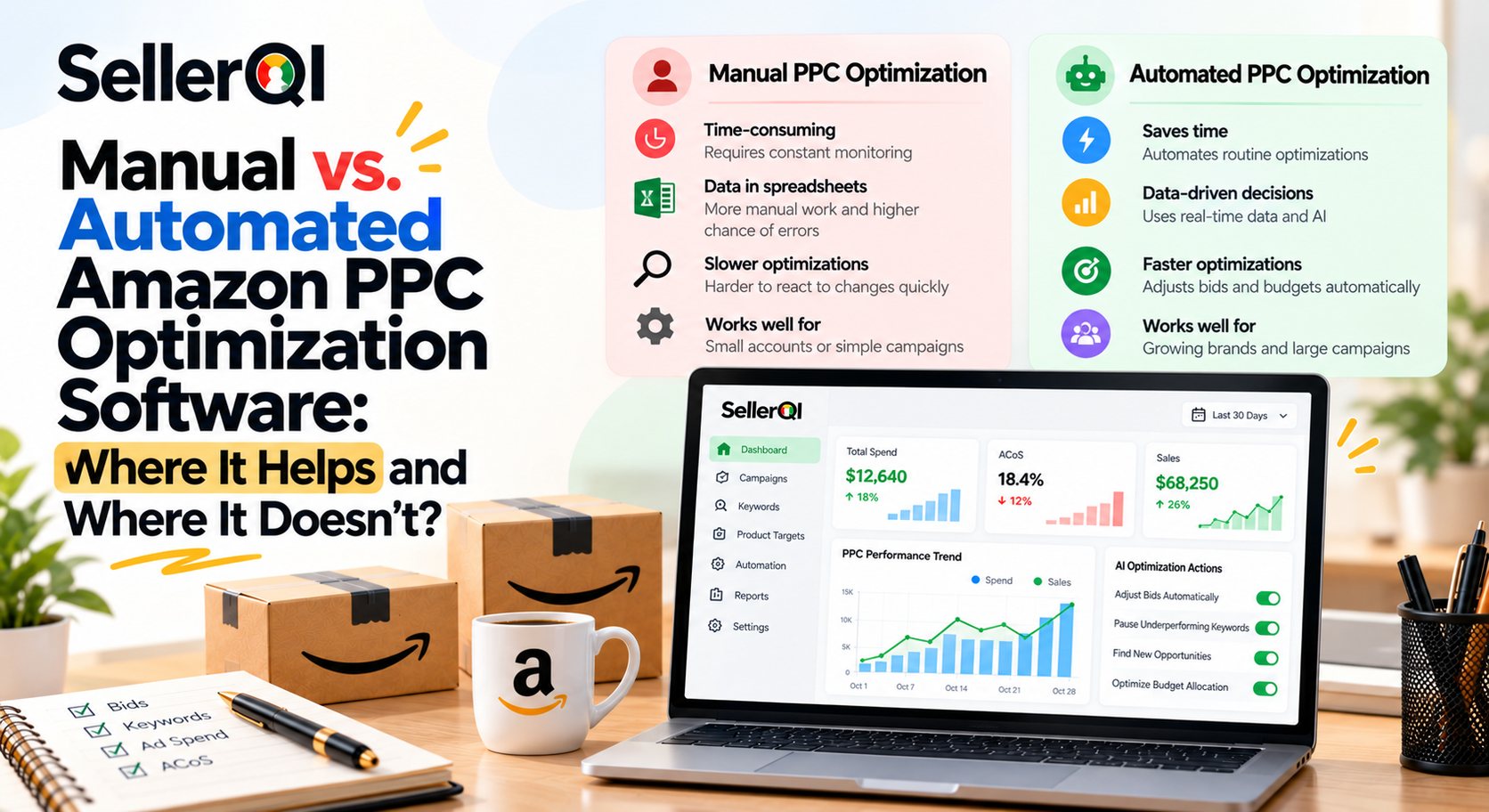
Amazon PPC optimization software helps sellers analyze advertising performance, identify wasted spend, manage keyword bids, and improve campaign efficiency. Manual optimization gives sellers greater control over individual decisions, while automated tools can process campaign data faster and flag patterns that are easy to miss. The best approach depends on campaign size, data quality, advertising goals, and how much control a seller wants to retain.
Amazon advertising can become difficult to manage as campaigns, ad groups, keywords, and search terms increase. Checking every metric manually takes time, but automating every decision without reviewing the results can create new problems.
This guide compares manual and automated Amazon PPC optimization, explains where software helps most, and shows how sellers can use PPC Audit optimization tools without losing control of their advertising strategy.
What Is the Difference Between Manual and Automated Amazon PPC Optimization?
Manual Amazon PPC optimization involves reviewing campaign reports and adjusting bids, budgets, targeting, and negative keywords yourself. Automated Amazon PPC optimization uses software, rules, or algorithms to analyze advertising data and recommend or execute selected changes.
Both methods can improve campaign performance. The main difference is how decisions are identified, processed, and implemented.
| Factor | Manual Amazon PPC Optimization | Automated Amazon PPC Optimization |
|---|---|---|
| Data analysis | Seller reviews reports and metrics | Software processes data and highlights patterns |
| Keyword management | Seller researches and evaluates search terms | Tools may suggest keywords, flag waste, or automate targeting actions |
| Bid adjustments | Seller changes bids individually or in bulk | Rules or algorithms may adjust bids automatically |
| Speed | Can be slow across many campaigns | Can process large amounts of data quickly |
| Control | High direct control over each change | Depends on automation rules and approval settings |
| Risk | Human error, missed patterns, delayed action | Incorrect rules, weak data, or unsuitable automated changes |
| Best suited for | Small accounts, testing, and hands-on management | Larger accounts, repetitive tasks, and ongoing monitoring |
Manual optimization is not automatically better because it offers control, and automation is not automatically better because it saves time. The right choice depends on whether a task requires human judgment, faster analysis, or repeatable execution.
When Does Manual Amazon PPC Optimization Work Best?
Manual optimization works best when a seller needs to understand why a campaign is performing a certain way, test a new strategy, or make decisions with limited historical data. It is particularly useful for new products, small campaigns, and situations where the seller wants to inspect individual search terms before changing targeting or bids.
Consider these situations:
- Launching a new product: You may need to test different keywords and targeting approaches before enough conversion data becomes available.
- Investigating unusual performance: A sudden drop in sales may require reviewing listing quality, pricing, competition, and advertising changes together.
- Managing a limited budget: Every click matters when a campaign has little room for experimentation.
- Testing keyword relevance: A keyword can generate clicks without attracting shoppers who are likely to buy.
- Making strategic decisions: Deciding whether to defend branded terms, expand discovery campaigns, or reduce aggressive bidding requires business context.
The limitation is scale. If you manage multiple products and hundreds of keywords, manually reviewing every search term and bid can delay important changes.
Where Does Automated Amazon PPC Optimization Software Help Most?
Automated Amazon PPC optimization software is most useful for repetitive analysis, campaign monitoring, identifying wasted spend, and applying consistent rules across multiple campaigns. It can help sellers detect patterns faster, but it cannot automatically understand every business objective or guarantee better advertising results.
Here are the areas where automation can make the biggest difference.
1. Amazon PPC analytics software for Finding Wasted Advertising Spend
A campaign may receive clicks without generating orders. An Amazon PPC analytics software solution can help identify search terms or targets that consume budget without producing sales, allowing sellers to investigate whether bids should be reduced or terms should be excluded.
However, zero-sale clicks do not always mean a keyword is unprofitable. A new product may need more data, and some terms may assist discovery or contribute to later purchases. Review click volume, spend, conversion history, and product economics before making a decision.
2. Managing Bids More Consistently
Bid management can become repetitive when campaigns contain many targets. Automated rules can adjust bids based on defined performance conditions, while manual management allows sellers to account for context that a rule may not capture.
For example, a seller might lower bids on targets whose advertising cost is consistently above the acceptable level. Before automating that change, the seller should define the measurement period, minimum data requirements, and acceptable profitability threshold.
3. Monitoring Campaign Performance via Amazon PPC optimization tool
An Amazon PPC optimization tool can help bring important metrics into one workflow instead of requiring sellers to open multiple reports repeatedly.
Useful metrics include:
- Advertising spend
- Ad-attributed sales
- Advertising Cost of Sales (ACoS)
- Total Advertising Cost of Sales (TACoS)
- Click-through rate (CTR)
- Conversion rate
- Cost per click (CPC)
- Orders and search-term performance
Automation is especially helpful when these metrics need to be reviewed regularly across many campaigns.
4. Scaling Repeatable Campaign Tasks
Bulk actions and automation rules can reduce the effort involved in managing large keyword lists, changing bids, or reviewing multiple campaigns. Sellers still need safeguards to prevent broad changes from affecting profitable campaigns or high-priority targets.
5. Highlighting Patterns That Need Investigation
Automated analysis can flag changes such as rising spend, falling conversions, or targets with repeated poor results. These alerts are starting points for investigation, not proof that one specific action will fix the problem.
When Does Automated Amazon PPC Optimization Fail?
Automation is less effective when it operates on incomplete data, applies unsuitable rules, or makes decisions without considering the product's wider business context. Software can process information quickly, but speed does not make every recommendation correct.
Common limitations include:
- Insufficient conversion data: A new keyword may be paused before it has a fair opportunity to generate orders.
- Poorly defined rules: A bid rule may reduce bids too aggressively or increase them when the seller's margin cannot support the change.
- Ignoring total profitability: Strong ad-attributed sales do not necessarily mean a product is profitable after advertising and other costs.
- Overlooking listing problems: Low conversion rates may result from poor images, weak product information, uncompetitive pricing, or stock issues rather than bids alone.
- Excessive automation: Changing bids, budgets, and negative keywords simultaneously can make it difficult to identify which change affected performance.
- Incorrect keyword assumptions: Search volume or relevance alone does not establish that a keyword will convert profitably.
A practical safeguard is to review the reason behind each recommendation, set limits on automated changes, and compare results against a defined baseline.
Which Amazon advertising optimization software Gives Best Keyword Suggestions?
The best amazon keyword tracking tool suggestions are based on actual search-term data, conversion history, and wasted-spend signals, combined with keyword relevance and the seller's profitability goals. No tool can guarantee the best suggestions for every account, so sellers should evaluate the quality of the evidence behind each recommendation.
Manual and automated approaches differ in how they discover and evaluate opportunities.
| Comparison factor | Manual keyword analysis | Automated keyword suggestions |
|---|---|---|
| Suggestion quality | Depends on the seller's research, experience, and report interpretation | Depends on data coverage, algorithm quality, and the signals used |
| Search-term insights | Seller manually identifies converting and non-converting terms | Software can surface patterns across large search-term datasets |
| Conversion history | Seller compares clicks, orders, and sales reports | Tools may rank or flag terms using historical performance |
| Wasted-spend signals | Seller calculates spend on terms without sales | Software can highlight terms meeting defined waste criteria |
| Speed | Slower for large accounts | Usually faster at processing and organizing many terms |
| Risk | Human bias, missed opportunities, and inconsistent reviews | Irrelevant suggestions, incomplete data, or overreliance on automated recommendations |
| Best use | Strategic research and contextual judgment | Faster discovery, prioritization, and repeatable analysis |
Before accepting a keyword suggestion, check four things:
- Relevance: Does the search term accurately describe the product?
- Conversion evidence: Has the term generated orders, or is the recommendation based mainly on clicks or estimated demand?
- Economics: Can the expected cost of acquiring a customer fit the product's margin?
- Testing plan: Can you test the keyword with a controlled budget before expanding it?
A useful Amazon advertising optimization software solution should make it easier to evaluate these signals, not simply generate a long list of keywords. Keep promising discovery terms separate from proven converting terms so that testing does not consume the budget intended for established performers.
How to Improve Amazon PPC Performance Using Optimization Tools?
To improve performance use amazon ppc audit checklist, connect your advertising account, review flagged waste, apply relevant negative keywords, reallocate budget toward stronger opportunities, and recheck results weekly. Use software to prioritize decisions while retaining manual review for changes that could affect profitable campaigns.
Step 1: Connect Your Amazon Advertising Account
Connect the account through the software's supported authorization process. Check that the correct marketplace, campaigns, and reporting period are selected.
Before acting on recommendations, confirm that the reports contain recent and relevant data. Avoid making major decisions from incomplete reporting periods or campaigns that have only just started receiving traffic.
Step 2: Review Flagged Wasted Spend
Use the tool to identify search terms and targets that have spent money without producing orders, or whose advertising cost is consistently above your target.
Review the number of clicks, spend, conversion history, relevance, and potential profitability. Set a reasonable evidence threshold before deciding whether a term should be paused, bid down, or excluded.
Step 3: Apply Negative Keywords Carefully
Add negative keywords when the search term is irrelevant or its performance provides enough evidence that it should no longer receive traffic.
For example, a seller advertising a premium reusable water bottle may discover clicks from searches for disposable cups. If those searches are unrelated to the product, an appropriate negative keyword can reduce irrelevant traffic.
Check match types and the scope of each negative keyword before applying changes. A broad exclusion can block valuable searches if it is not reviewed carefully.
Step 4: Reallocate Budget Toward Better Opportunities
Review campaigns with consistent sales, acceptable ACoS, and sufficient stock. Consider moving budget away from inefficient targets and toward campaigns with stronger evidence of profitable demand.
Do not automatically move every dollar away from a campaign with no recent sales. Some campaigns are designed for discovery, and their results should be evaluated using the objective they were created to achieve.
Step 5: Recheck Performance Weekly
Compare performance before and after the changes using the same reporting window where possible. Monitor spend, sales, orders, ACoS, conversion rate, and total profitability.
Record the changes made and avoid changing too many variables at once. If performance worsens, review whether the problem came from bids, negative keywords, budgets, listing conversion, or another factor.
Worked Example: Reducing Spend on Zero-Sale Search Terms
Suppose an Amazon seller spends $2,000 on advertising in a reporting period. Of that amount, $400 goes to search terms that generate clicks but no sales. The remaining campaigns generate $8,000 in ad-attributed sales.
If the seller removes the waste without losing sales, the results could look like this:
| Metric | Before optimization | After optimization |
|---|---|---|
| Total ad spend | $2,000 | $1,600 |
| Ad-attributed sales | $8,000 | $8,000 |
| ACoS | 25% | 20% |
| Spend on zero-sale terms | $400 | $0 |
| Reduction in ad spend | — | 20% |
The seller has reduced spend by $400, or 20%, while maintaining the same sales in this illustrative example. ACoS also improves from 25% to 20%.
Important: This is a worked scenario, not a guaranteed outcome. Removing zero-sale terms will not always preserve sales, because some terms may contribute to later purchases or future conversions. Monitor the results after each change and reverse or adjust decisions when the data supports doing so.
Manual vs Automated Amazon PPC: Which Approach Should You Choose?
Choose manual optimization when you need close control, are testing new campaigns, or have limited conversion data. Choose automation when repetitive monitoring and analysis are taking too much time. Many sellers benefit from a hybrid approach that combines software-assisted analysis with human approval for important changes.
| Your situation | Recommended approach | Why |
|---|---|---|
| New product with limited data | Mostly manual | More context and cautious testing are needed |
| Small account with few campaigns | Manual or lightweight automation | Manual reviews may be sufficient |
| Large account with many targets | Automated analysis plus manual oversight | Faster identification and prioritization of issues |
| Repeated wasted-spend patterns | Rules-based automation with safeguards | Consistent thresholds can reduce repetitive work |
| Sudden drop in conversion | Manual investigation supported by analytics | The cause may be outside PPC bidding |
| Frequent bulk campaign updates | Automation with approval controls | Reduces repetitive work and implementation time |
The objective is not to automate every decision. It is to reduce repetitive work, uncover problems earlier, and spend more time on decisions that require business judgment.
How SellerQI Can Support Amazon PPC Analysis?
SellerQI provides tools designed to help Amazon sellers investigate account performance and identify opportunities for improvement. Its PPC Waste Finder can support the process of reviewing advertising waste, while the wider platform includes an ASIN Profit Dashboard and listing and account diagnostics.
For sellers comparing Amazon PPC optimization software, the important question is whether the tool helps connect advertising performance to product-level profitability and actionable account issues. Review the available features and reporting for your needs before deciding which parts of your PPC workflow to automate.
Frequently asked questions
How can I choose Amazon PPC optimization software as a beginner?
Start with Amazon PPC optimization software that presents campaign spend, sales, ACoS, clicks, orders, and search-term performance in a clear dashboard. Look for straightforward recommendations, understandable reports, and the ability to review changes before they are applied. Beginners should prioritize visibility and safe decision-making over complex automation. Start with a small set of campaigns, establish performance benchmarks, and expand automation only when you understand how the rules affect your results.
What should I look for in Amazon PPC analytics software with bulk campaign optimization features?
Look for bulk bid editing, budget management, keyword and negative keyword workflows, campaign filtering, and the ability to review changes before implementation. Good Amazon PPC software with bulk campaign optimization features should also provide clear reporting, safeguards against accidental changes, and a way to measure results after updates. Test bulk actions on a limited group of campaigns first, especially when the changes affect multiple products or match types.
Is automated Amazon PPC optimization better than manual management?
Automated optimization is often more efficient for repetitive tasks and large campaign portfolios, while manual management is useful for strategic decisions and campaigns with limited data. Neither approach is always better. The most suitable method depends on campaign complexity, budget, data quality, and the seller's ability to monitor the results.
How often should I review Amazon PPC analytics software reports?
Review key campaign metrics at least weekly as a starting point, and check more frequently when launching products, testing major changes, or managing volatile campaigns. Use a consistent reporting window and allow enough time for meaningful conversion data to accumulate. Daily monitoring can identify unusual changes, but frequent adjustments based on very little data may lead to poor decisions.
Can Amazon advertising optimization software reduce ACoS?
Amazon advertising optimization software can help identify high-cost search terms, monitor bids, and highlight campaigns that may need changes. These insights can support ACoS improvement, but results depend on keyword relevance, conversion rate, competition, product pricing, and listing quality. Lower ACoS should not be the only goal if the changes also reduce profitable sales.
Does Amazon PPC optimization software help with keyword research?
Some tools provide keyword discovery, search-term analysis, or keyword suggestions based on available data. Others focus more on bid management, campaign reporting, or wasted-spend detection. Check whether the software uses actual search-term and conversion data, estimated keyword demand, or a combination of signals. Choose features that match your current objective rather than assuming every PPC tool offers the same keyword research capabilities.
Why should sellers use an Amazon PPC optimization tool alongside regular reporting?
An Amazon PPC optimization tool can make it easier to identify patterns across multiple campaigns, while regular reporting helps sellers verify whether the recommended changes are working. Combining automated alerts with manual reviews supports better oversight of bids, budgets, keyword performance, and profitability without relying entirely on automation.