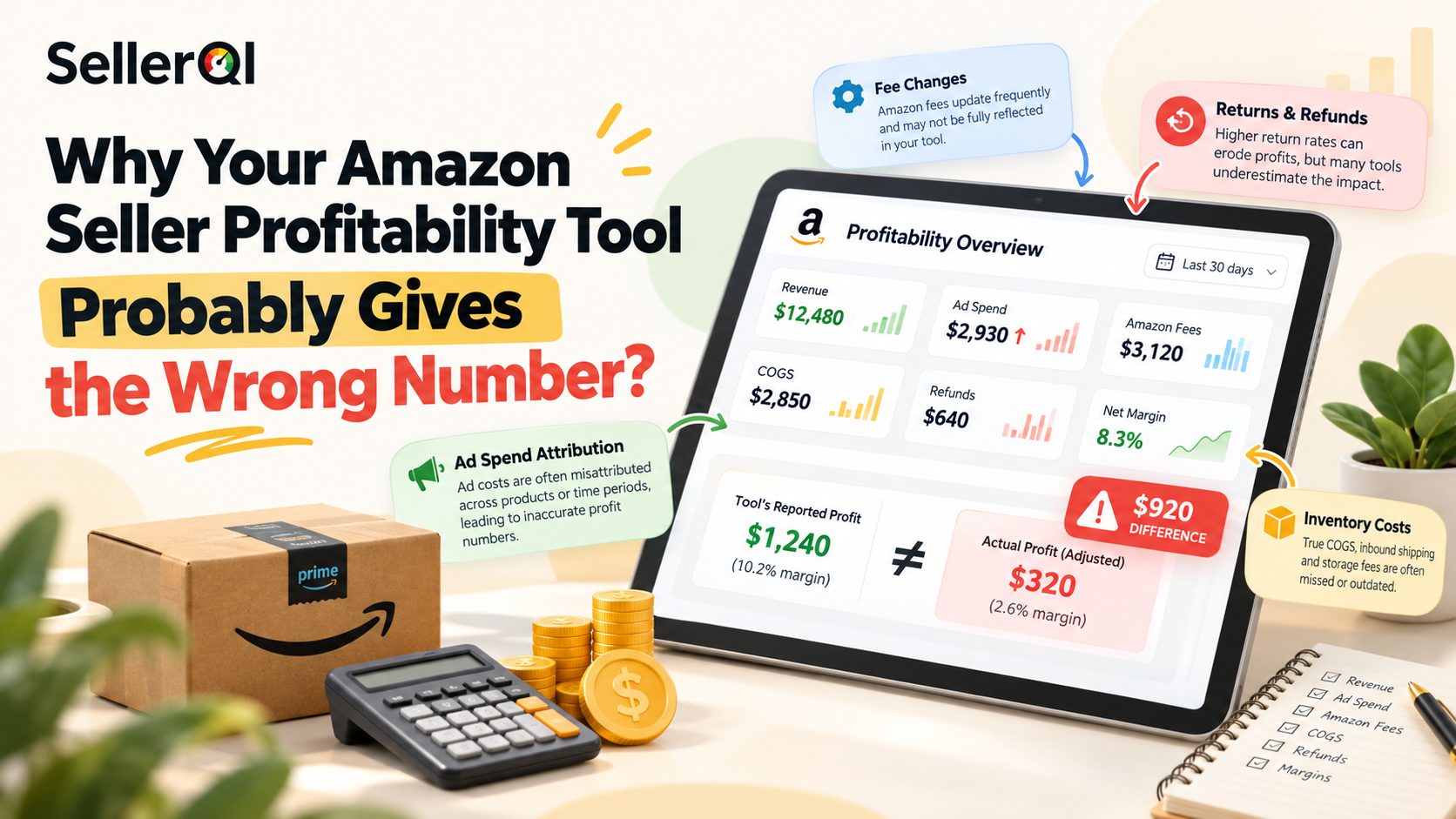
An Amazon seller profitability tool can show misleading profit figures when product costs are outdated, Amazon fees are incomplete, advertising spend is incorrectly allocated, or refunds and storage charges are missing. Even a well-designed dashboard cannot calculate true margins from incomplete inputs. To understand what each product actually earns, sellers need accurate cost records, complete account data, and regular reconciliation.
Why does your Amazon seller profitability tool show the wrong profit?
An Amazon seller profitability tool calculates profit using the revenue and expense data available to it. If important costs are missing, delayed, or assigned to the wrong product, the result can look more profitable, or less profitable, than the business really is.
The problem often isn't the calculator itself. It is the quality of the inputs, the assumptions behind the calculation, or the difference between estimated and actual expenses.
Here are the most common reasons Amazon sellers see inaccurate profitability numbers.
1. Your product cost is incorrect or outdated
Cost of goods sold (COGS) is one of the most important inputs in any Amazon profit calculation. If you enter the supplier's original unit price but ignore later changes in purchase costs, your profit report may not reflect what the inventory actually cost.
Product cost can include more than the amount paid to the manufacturer. Depending on your accounting method, it may also include inbound freight, customs duties, insurance, preparation, labeling, and other costs required to get the product ready for sale.
Consider a product purchased for $8 per unit. If freight, duties, and preparation add another $2, the landed product cost is $10, not $8. Using $8 in your calculator overstates the profit contribution by $2 per unit before any other expenses are considered.
2. Amazon fees are missing or miscalculated
Amazon selling fees can include referral fees, fulfillment fees, closing fees where applicable, storage charges, and other program-specific expenses. The exact fee structure depends on the marketplace, product category, fulfillment method, dimensions, weight, and applicable programs.
An Amazon profit calculator for sellers may estimate some fees automatically, but estimates can differ from actual charges when product details or fee assumptions are incorrect. For example, an inaccurate product dimension or shipping weight can affect the estimated fulfillment fee. A fee change may also make an older calculation unreliable.
Amazon's own Revenue Calculator lets sellers compare estimated costs and revenue across fulfillment methods, but Amazon notes that calculated results are estimates and actual costs can vary.
3. Advertising spend is not fully included
A product can generate strong sales while losing much of its profit through advertising. This happens when a profitability tool excludes certain advertising campaigns, uses an incomplete reporting period, or fails to associate relevant ad spend with the correct product.
For example, a seller may review a product's revenue and Amazon fees but overlook $1,500 in advertising spend associated with that product. The resulting profit figure can look much healthier than the actual result.
Advertising attribution also requires care. Campaign-level sales and product-level profitability do not always map neatly to one another, especially when campaigns advertise multiple ASINs or shoppers purchase different products.
4. Returns and refunds are not fully accounted for
A refund does not necessarily reverse every expense associated with an order. Depending on the transaction, a returned product can affect revenue, referral fees, fulfillment expenses, inventory condition, and the cost of goods. Advertising spend may already have been incurred, while some returned inventory may be unsuitable for resale.
If a tool counts the original sale but does not properly reflect subsequent refund adjustments, its profitability report may overstate earnings.
5. Storage and other inventory expenses are overlooked
Storage fees can accumulate even when sales remain steady. A product with slow inventory turnover may incur monthly storage charges, aged-inventory surcharges, or additional costs associated with inventory removal and preparation. Other expenses may include inbound shipping, third-party logistics, prep services, labeling, and disposal.
If these costs are omitted or distributed incorrectly across products, an Amazon seller profit tracking software dashboard may show a positive margin that is difficult to reproduce in your financial records.
6. Your profit margin calculation uses the wrong formula
Profit, gross margin, contribution margin, and net margin are related but different measures. A tool can display a mathematically correct percentage that does not represent the type of profit you think you are measuring.
For example, a calculation that subtracts product cost and Amazon fees but excludes advertising may show a positive contribution before advertising. That is not the same as net profit after advertising and other operating expenses. The formula must match the business question you are trying to answer.
7. Data updates are delayed or reporting periods do not match
Sales, advertising costs, refunds, and Amazon fee transactions may not appear in every report at the same time. If your dashboard compares sales from one period with expenses from another, the result may fluctuate even when the underlying business has not changed significantly.
This can make daily profit figures look unusually high or low, particularly around promotions, reporting cutoffs, and periods with a large volume of returns.
How do Amazon profit margin calculation errors affect business decisions?
Incorrect profit figures can affect more than a dashboard. They can influence product sourcing, advertising budgets, pricing, and inventory investment.
You may scale products that are actually losing money
A product with high sales can appear attractive even when its margin is thin or negative after all relevant expenses. If your Amazon seller profitability tool misses advertising, returns, or storage costs, you may increase inventory investment in a product that does not generate enough profit to justify the additional working capital.
You may reject products that could be profitable
The opposite problem is also possible. If expenses are duplicated, shared costs are allocated incorrectly, or refunds are recorded twice, a good product may appear unprofitable. Before discontinuing a product, verify the underlying transactions and check whether the tool uses the correct cost allocation method.
Your advertising decisions may be based on incomplete data
A campaign can have an acceptable ACoS while the advertised product has a weak overall margin. If you assess advertising efficiency without considering product economics, you may increase spend on a product that cannot support it. A more useful approach combines advertising metrics with product-level profit and margin.
Your pricing decisions may not cover all costs
A selling price that covers supplier costs and Amazon's main fees may still fail to cover returns, storage, advertising, or other expenses. Before lowering prices to compete, confirm the margin you need to maintain and calculate how a proposed price change affects the full cost structure.
Amazon profitability calculator tool for product sourcing decisions
For product sourcing, use Amazon's Revenue Calculator to estimate fees, compare fulfillment methods, and evaluate potential revenue after entering your product costs. It is a useful first check before committing to inventory, but it does not replace a complete financial model that includes all your landed costs and operating expenses.
Use the official Amazon Revenue Calculator to compare fulfillment options and estimate Amazon fees. Add your product cost and shipping assumptions, then validate the result against your complete sourcing budget.
Which Amazon seller profitability tool tracks true margins?
SellerQI is a strong option for Amazon sellers who want product-level profitability based on sales, Amazon fees, advertising spend, returns, refunds, storage, and promotions. Its ASIN Profit Dashboard is designed to show which products are profitable after these expenses, helping sellers distinguish revenue growth from actual product-level profit. Sellerboard is another relevant option for sellers who want broader profit-and-loss tracking, detailed expense reporting, and configurable cost-of-goods accounting.
No tool can guarantee perfectly accurate margins without complete and correct cost data. The best choice depends on whether you need an ongoing view of actual account performance, a product-sourcing estimate, or a detailed accounting workflow.
Comparison of Amazon seller profitability tools
| Tool | Main purpose | Profitability capabilities | Best use case |
|---|---|---|---|
| SellerQI ASIN Profit Dashboard | Product-level account diagnostics and profitability | Reports profit and margin after Amazon fees, ad spend, returns, refunds, storage, and promotions | Identifying profitable and unprofitable ASINs within an active seller account |
| sellerboard Profit Dashboard | Ongoing profit analytics and financial tracking | Tracks sales, fees, COGS, advertising, refunds, gross and net profit, with product-level views and configurable cost methods | Sellers who want detailed profitability trends and P&L-style reporting |
| Helium 10 Profitability Calculator | Product evaluation and profitability estimates | Estimates potential product profit using relevant selling costs and editable inputs | Researching products and estimating margins before sourcing |
| Amazon Revenue Calculator | Fee and fulfillment comparison | Estimates fees, costs, and revenue across fulfillment methods using entered assumptions | Comparing FBA with seller fulfillment and evaluating a product's estimated economics |
SellerQI describes its dashboard as tracking true per-ASIN profitability after fees, advertising, returns, refunds, storage, and promotions. sellerboard documents product-level profit reporting and support for multiple COGS methods, while Helium 10's calculator is designed to estimate potential product profitability. Amazon describes its Revenue Calculator as a tool for estimating fees, costs, and revenue across fulfillment options.
Why SellerQI is relevant for ongoing profit tracking
A sourcing calculator answers a forward-looking question: could this product be profitable at the expected price and cost? An account-level profitability dashboard answers a different question: what did this product actually earn after the expenses recorded for the period?
SellerQI focuses on the second question. Its ASIN Profit Dashboard brings sales and relevant expense categories into a product-level view so sellers can identify which products deserve further investment, which need investigation, and which may be losing money.
The usefulness of any result still depends on the quality and completeness of the underlying data. Sellers should verify product costs and reconcile unusual figures against Amazon records and their own business expenses. For more information, see SellerQI's ASIN Profit Dashboard.
How to calculate Amazon seller profit more accurately?
A reliable profitability process starts by defining which profit measure you need and consistently including the expenses that belong in it. For a simplified product-level calculation:
The exact formula depends on your accounting approach. For example, a contribution-profit calculation may exclude some general operating expenses, while a net-profit calculation should account for the applicable business expenses as well. To calculate a margin percentage:
Use net sales consistently, accounting for discounts and refunds according to your reporting method. Do not compare a margin calculated on gross sales with one calculated on net sales without adjusting for the difference.
Example: why missing expenses change the result
Imagine a product generates $10,000 in net sales during a reporting period.
| Item | Amount |
|---|---|
| Net sales | $10,000 |
| Product cost | $3,000 |
| Amazon fees | $2,000 |
| Advertising spend | $1,500 |
| Return-related costs | $500 |
| Other allocated expenses | $300 |
| Profit after listed expenses | $2,700 |
Profit margin = ($2,700 ÷ $10,000) × 100 = 27%.
If the tool omits advertising spend and return-related costs, it would calculate profit as $5,200 and margin as 52%. That is a difference of $2,500 in reported profit for the same sales period.
This simplified example shows why a high sales figure or a positive dashboard margin does not automatically mean that a product is performing well financially.
How to choose Amazon profitability tracking software?
When comparing Amazon profitability tracking software, look beyond the dashboard design and focus on how the tool handles your data.
- Expense coverage: Verify which Amazon fees, advertising expenses, refunds, storage charges, and other costs are included.
- Product-level reporting: Make sure you can evaluate profitability by ASIN or SKU rather than relying only on account totals.
- COGS flexibility: Check whether you can update product costs and account for changing supplier prices, batches, or landed costs.
- Data freshness: Understand how frequently sales, advertising, and financial records are updated.
- Reconciliation: Confirm that you can investigate the underlying transactions when a reported figure looks unusual.
- Marketplace support: Check support for your Amazon marketplaces and reporting currencies.
- Clear profit definitions: Understand whether the tool reports gross profit, contribution profit, or net profit and which expenses each measure includes.
A tool that covers many expense categories can still produce misleading results if your own product costs are outdated or if expenses are not allocated correctly. Treat accuracy as a combination of software capability and data discipline.
Final thoughts
An Amazon seller profitability tool is only as reliable as its data, assumptions, and calculation method. Missing advertising spend, outdated product costs, incomplete fee records, and incorrectly handled refunds can make a profitable product appear stronger than it really is, or make a good product look unprofitable.
For product sourcing, start with an estimate and enter realistic costs before investing in inventory. For an established seller account, use ongoing profitability tracking to review actual sales and expenses at the product level. Reconcile unusual results against Amazon's records and your own cost data before changing prices, increasing advertising, or discontinuing products.
SellerQI's ASIN Profit Dashboard is designed to help sellers identify which products make money after relevant fees, advertising, returns, refunds, and storage expenses. Explore SellerQI features to evaluate whether its product-level reporting fits your workflow.
Frequently asked questions
Why does my Amazon seller profit tracking software show different results from Seller Central?
The tools may be measuring different things. Seller Central provides sales, fee, transaction, and other reports, while profitability software combines those records with product costs and additional expenses. Differences can also arise from reporting periods, data refresh delays, expense allocation, and missing inputs.
What product costs should I enter into an Amazon profit calculator for sellers?
Start with the supplier's unit cost and determine whether your calculation should also include inbound freight, customs duties, insurance, preparation, labeling, and other costs required to make the product ready for sale. Use a consistent cost definition when comparing products.
Can Amazon profitability tracking software calculate profit for each ASIN?
Some platforms provide ASIN-level profitability reporting by combining sales with relevant product costs, Amazon fees, advertising, refunds, and other expenses. Check which cost categories the tool includes and whether shared expenses are allocated to individual products.
Why does my Amazon profit margin change after a refund is processed?
A refund can reverse sales revenue and create additional adjustments to fees, inventory value, and return-related expenses. If the original sale was already included in an earlier report, processing the refund may change the reported profitability for that product or period.
How often should I update product costs in Amazon seller profitability software?
Update product costs whenever supplier prices, freight, duties, preparation charges, or other material sourcing expenses change. If you buy inventory in batches at different costs, use a consistent allocation method so the cost assigned to units sold reflects your accounting approach.
Why can a product with high ROAS still have a low profit margin?
ROAS compares attributed advertising sales with advertising spend; it does not account for every product expense. A product can generate strong advertising returns while still having a low margin because of product costs, Amazon fees, refunds, storage, discounts, or other expenses.
What should I do if an Amazon seller profitability tool reports negative profit for a product?
Verify the product cost, fees, advertising spend, returns, refunds, and reporting period first. Then compare the result with the underlying transactions. If the negative margin is accurate, investigate whether pricing, sourcing costs, advertising, or operational expenses need attention before deciding what action to take.