Amazon Automation
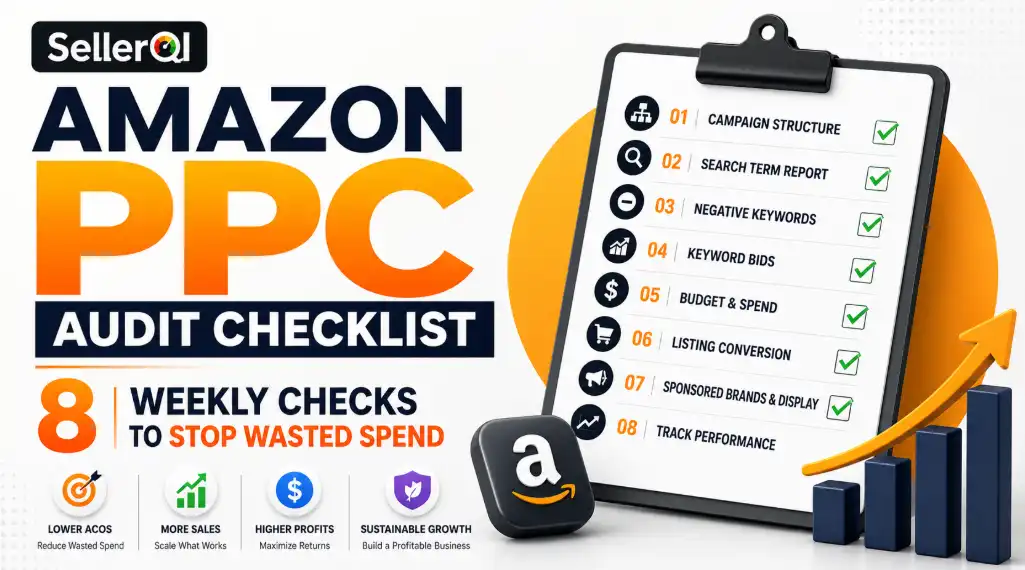
Amazon PPC Audit Checklist: 8 Weekly Checks to Stop Wasted Spend

Jimi Patel
11 min read
TL;DR:
If your Amazon ads are getting clicks but no sales, the problem is usually not your product. It comes down to not checking your campaigns regularly. A quick weekly audit helps you cut wasted spend, fix underperforming keywords, and make sure your budget is actually working for you.
Key Takeaways
Search terms with clicks but zero sales should be removed every week without fail.
Converting search terms from Auto campaigns need to be moved into manual Exact match campaigns to scale them properly.
Negative keywords are one of the fastest ways to stop irrelevant traffic from eating your budget.
Bids should be based on real ACoS and conversion data, not guesswork.
If a campaign runs out of budget before peak shopping hours, you are missing your best window.
A listing that converts below 10% will make every ad dollar less effective, fix the page before increasing spend.
Sponsored Brands and Sponsored Display are often ignored but both play a real role in recovering lost sales.
Pausing or reducing bids when inventory runs low protects your campaign history and prevents wasted impressions.
The traffic is there, the clicks are there, but your Amazon sales still are not moving the way you expected. Sounds familiar?. Sellers across the Amazon marketplace report the same frustration: ads that burn through budget without delivering the return they expected.
The problem is not always a bad product. Most of the time, it comes down to a lack of regular auditing. An Amazon PPC audit is the process of reviewing your advertising campaigns to reduce wasted spend, harvest profitable search terms, and optimize your bids. Done weekly, it keeps your Advertising Cost of Sales (ACoS) in check and your best-performing keywords working harder for you.
This checklist gives you eight practical checks you can run every week. Each one targets a specific area where ad spend leaks and shows you exactly how to fix it.
Check 1: Review Your Campaign Structure
Before you touch bids or keywords, look at how your campaigns are organized. A poorly structured account makes every other optimization harder.
Campaign Naming Convention
Open your campaign manager and check whether each campaign follows a logical naming pattern. A format like Product_CampaignType_MatchType_Target lets you filter campaigns instantly and spot problems at a glance. If your campaigns have names like "Campaign 1" or "Test July," rename them now before they multiply.
Match Type Separation
Run your Auto, Broad, Phrase, and Exact campaigns in separate ad groups. When you mix match types, they compete against each other for the same impressions. This is called keyword cannibalization, and it pushes your costs up while hurting your conversion rate data.
ASIN Grouping
Check that you have not grouped unrelated products inside a single ad group. Each ad group should contain ASINs that share a primary keyword theme. Mixing products dilutes relevancy signals and makes bid adjustments nearly impossible to get right.
Check 2: Mine Your Search Term Report
Your Search Term Report is the single most valuable data source in your PPC account. Export it weekly and do these two things.
Identify Wasted Spend
Sort the report by clicks and isolate every search term that has generated five or more clicks with zero sales. These terms drain your budget without contributing revenue. Flag them immediately.
Harvest Converting Terms
Next, look for search terms inside your Auto campaigns that have converted two or more times. Move these into a manual Exact match campaign with a dedicated bid. Auto campaigns discover terms; manual Exact campaigns scale them. If you are not doing this every week, you are leaving profitable keywords buried inside your Auto campaigns.
Check 3: Add and Update Negative Keywords
Adding negative keywords is one of the fastest ways to stop wasted spend. After you identify irrelevant or non-converting search terms from your report, add them as Negative Exact or Negative Phrase matches at the ad group level.
Common terms worth negating include competitor brand names (unless you are running a deliberate conquesting strategy), overly broad terms with no purchase intent, and high-volume informational queries that attract browsers rather than buyers.
If you need more context on how keyword gaps compound listing problems, this guide on why your Amazon listing is not ranking after optimization explains the connection clearly.
Check 4: Audit Keyword Bids Based on ACoS and CVR
Not all keywords deserve the same bid. Sort your keyword report into two groups:
High ACoS, Low Conversion Rate (CVR): Lower the bid by 15 to 25 percent or pause the keyword entirely. It costs you more per sale than it returns.
Low Impressions, High CVR: These are your hidden winners. Increase the bid by 10 to 20 percent to buy more impressions and scale sales on what is already working.
Also check your placement bid adjustments. If your Product Pages placement shows a high ACoS compared to Top of Search, dial back the placement percentage modifier. You want your budget flowing toward the placements that convert.
Check 5: Check Budget Pacing and Campaign Spend
Budget problems come in two directions, and both hurt your results.
Budget Exhausting Too Early
If a campaign hits its daily budget by mid-morning, it stops showing ads during peak shopping hours in the afternoon and evening. Check the budget tab for campaigns marked as "Limited by Budget" and increase the daily budget on your best performers.
Unspent Budget
Campaigns that consistently underspend often have bids set too low for competitive keywords, or the targeting is too narrow. Identify these campaigns, check their impression share, and either raise bids or broaden targeting to get your budget working.
Check 6: Evaluate Your Listing Conversion Rate
PPC and listing health are inseparable. If your product detail page converts below 10 percent, your ad spend will always be inefficient because you are paying for clicks that never turn into sales.
Run through this quick listing check during your audit:
Title includes the primary keyword and answers the buyer's core question
Main image shows the product clearly on a white background at high resolution
A+ Content or Enhanced Brand Content is live and on-brand
For a full breakdown of what a high-converting listing looks like in 2026, read the SellerQI guide on how to create high-converting Amazon listings. Your PPC performance depends on it.
Check 7: Review Sponsored Brands and Sponsored Display Campaigns
Many sellers focus entirely on Sponsored Products and ignore the other two campaign types. Both serve specific purposes in your advertising funnel.
Sponsored Brands: These ads appear at the top of search results and build brand recognition. If you have registered your brand in Amazon Brand Registry, run at least one Sponsored Brands campaign targeting your top keywords.
Sponsored Display: Use these to retarget shoppers who viewed your product but did not buy, and to show ads on competitor product detail pages. Even a small Sponsored Display budget can recover lost sales from shoppers still in the decision phase.
Understanding how to build a scalable Amazon business means running all three ad types in coordination, not treating Sponsored Products as your only lever.
Check 8: Protect Your Ad Performance With Inventory Monitoring
Running out of stock while a PPC campaign is live wastes every impression your ads generate. Inventory disruptions can hurt campaign performance and organic ranking recovery. And your campaign history takes a hit that can take weeks to recover from.
Every week, check your inventory levels against your current daily ad spend. If stock drops below a two-week supply, reduce bids or pause campaigns temporarily until you restock. For a step-by-step system, see how SellerQI helps sellers set up real-time Amazon inventory alerts that prevent costly stockouts.
Your Weekly PPC Audit at a Glance
# | Audit Area | What to Check |
1 | Campaign Structure | Naming, match type separation, ASIN grouping |
2 | Search Term Mining | Export report, find zero-sale clicks, harvest converters |
3 | Negative Keywords | Add irrelevant and non-converting terms |
4 | Bid Management | Cut high-ACoS bids, raise high-CVR bids |
5 | Budget Pacing | Fix exhausted budgets, activate underspending campaigns |
6 | Listing CVR | Confirm conversion rate is above 10 percent |
7 | Sponsored Brands & Display | Run all three ad types, retarget, conquer competitors |
8 | Inventory Health | Pause or reduce bids when stock runs low |
How SellerQI Helps You Run This Audit Every Week
Running eight audit checks manually across multiple campaigns every week takes hours. SellerQI automates the time-consuming parts so you can act on insights instead of hunting for them.
Sponsored Ads Cost Saver: Automatically identifies zero-sale search terms and flags them for negation, saving you the manual export and sort process.
High-Value Keyword Finder: Surfaces converting search terms from your Auto campaigns and recommends them for promotion to manual Exact match campaigns.
ASIN-Level Profit Dashboard: Shows you the real profitability of every ASIN after ad spend, so you know which products justify a budget increase and which need a rethink.
Listing Health Scanner: Flags conversion rate issues, missing keywords, and image problems that drag down your PPC performance.
Reimbursement Recovery Tracker: Catches inventory discrepancies and lost stock that inflate your cost per sale and distort your ACoS data.
Everything runs inside a single dashboard with no manual report exports required. SellerQI connects directly to your Amazon Seller account through secure API integration and delivers prioritized action items every day.
FAQs:
What is an Amazon PPC audit?
An Amazon PPC audit reviews your campaigns to reduce wasted ad spend and improve profitability.
How often should you audit Amazon PPC campaigns?
Most sellers should audit their Amazon PPC campaigns weekly for better performance and cost control.
Why are my Amazon ads getting clicks but no sales?
This usually happens because of poor keyword targeting, weak listings, pricing issues, or low conversion rates.
How does SellerQI help with Amazon PPC audits?
SellerQI automates keyword analysis, spend tracking, listing health checks, and profitability monitoring in one dashboard.