Amazon Automation
7 Hidden Amazon Seller Problems That Quietly Kill Profit Margins

Jimi Patel
10 min read
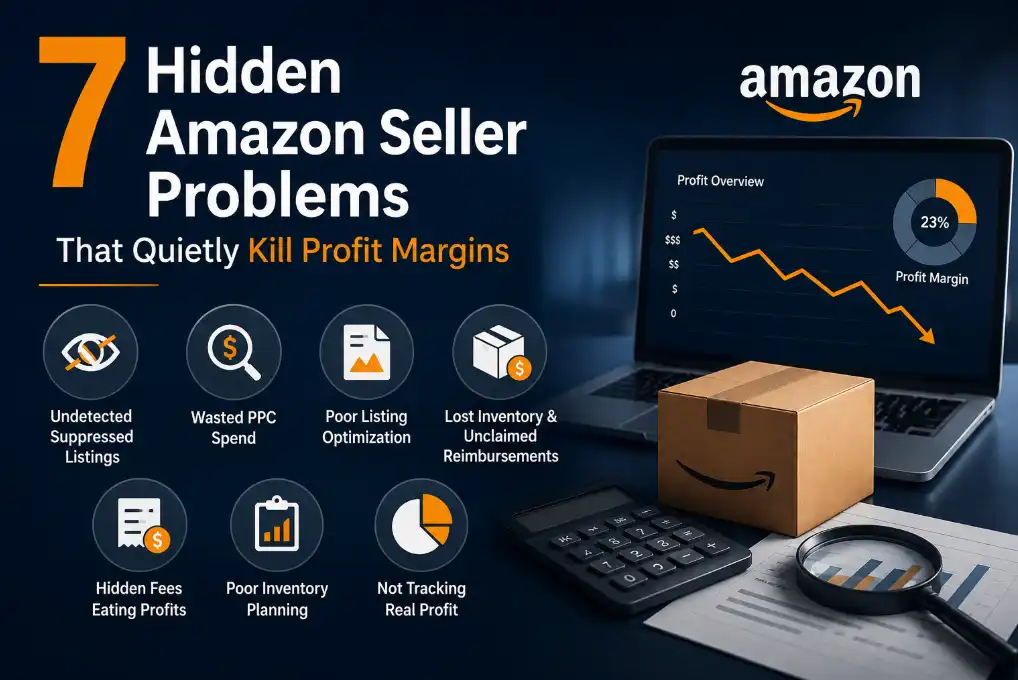
TL;DR:
Listings get suppressed silently and keep charging storage fees while making zero sales
Ad budgets drain into search terms that never converted even once
Amazon loses or damages your inventory and waits for you to file a claim
You run out of stock, rankings drop, and rebuilding them costs you more in ads
Competitors steal the Buy Box and your PPC ads basically stop working
Keyword gaps and outdated listings quietly push you down in search results
You scale products that look profitable on the surface but are actually losing money once fees, ads, and returns are factored in
Fix these seven things and you are not just plugging leaks. You are running a business you can actually see clearly.
Amazon generated roughly $2 billion in daily sales, with third-party sellers driving 61% of all paid units sold on the platform in Q4 2025 alone, and that number keeps climbing into 2026. Yet a significant portion of those sellers are losing money they do not even know they are losing. Wasted ad spend on zero-sale search terms. Reimbursements never claimed. Suppressed listings sit invisible while storage fees tick up. Rankings dropped because a listing fell out of compliance weeks ago, and nobody noticed.
These are not edge cases. They are the everyday reality for sellers who lack full visibility into their accounts. This guide breaks down the seven most common hidden problems that quietly kill Amazon seller profit margins, based on real seller experiences from the Amazon FBA and Amazon Seller Central communities, along with exactly how to fix each one.
Problem 1: Suppressed and Stranded Listings You Do Not Know About
What is happening
Your product is sitting in an Amazon fulfillment center, your ads are running, and you are paying storage fees every single day. But your listing is suppressed or stranded, which means it is invisible to buyers. Amazon does not always alert you loudly when this happens. You might check your dashboard days later and discover the problem has been silently costing you sales the whole time.
Sellers in the r/AmazonFBA community report waking up to suppressed listings caused by a missing attribute, a policy flag, or an image that no longer meets Amazon's guidelines. New sellers especially get hit hard because they are not yet checking their account health daily.
How to fix it
Go to Seller Central, open the Inventory tab, and use the Fix Stranded Inventory tool to identify affected ASINs.
Check your Listing Quality dashboard for suppressed items and the specific reason for each suppression.
Update the missing or non-compliant attribute and relist immediately.
SellerQI Fix: SellerQI's Listing Health Scanner monitors all your ASINs around the clock. The moment a listing becomes suppressed, stranded, or non-compliant, SellerQI flags it in your task list with the exact fix required. You stop chasing problems manually and start resolving them before they cost you sales. Learn more about how Amazon listing optimization works in 2026.
Problem 2: Wasted PPC Spend on Search Terms That Never Convert
What is happening
Amazon PPC is one of the fastest ways to burn money if you do not manage it properly. Many sellers run broad match campaigns, accumulate thousands of search terms, and never audit which ones are eating the budget without producing a single sale. This inflates ACoS (Advertising Cost of Sale) and quietly destroys margins every week.
A recurring complaint in the r/AmazonSeller community is that sellers spend heavily on ads but see little return.
How to fix it
Download your Search Term Report from the Campaign Manager weekly.
Identify search terms with high spend and zero or very low sales.
Add these as exact match negative keywords at the campaign or ad group level.
Reallocate that budget to top-performing keywords.
SellerQI Fix: SellerQI's Sponsored Ads Cost Saver automatically identifies zero-sale search terms and surfaces them as priority tasks. You get a clear view of where your ad spend is leaking, so you can stop funding failures and redirect budget to what actually drives revenue. This is how sellers reduce ACoS without reducing visibility.
Problem 3: Listing Optimization Problems That Tank Your Rankings
What is happening
A listing that looks good to the human eye can still be invisible in Amazon search. Missing back-end search terms, indexed keyword gaps, weak bullet points, and non-compliant images all affect how the A10 algorithm ranks your product. Many sellers optimize a listing once at launch and never revisit it, even as competition and search behavior changes.
The r/AmazonSellerCentral community frequently discusses listings that stop ranking after a period of strong performance. In most cases, a competitor optimized more aggressively, or the listing fell out of compliance after an Amazon policy update.
How to fix it
Audit your title, bullet points, and product description against current Amazon style guidelines.
Use real search data to identify high-converting keywords you are not currently indexed for.
Update your back-end search terms and ensure no duplicate or irrelevant terms occupy your 250-byte limit.
Check image compliance: main image on white background, no text overlays, meeting resolution requirements.
SellerQI Fix: SellerQI's High-Value Keyword Finder uses real performance data to surface search terms your listings are missing. Combined with the Listing Health Scanner, you get a complete picture of every gap affecting your organic rank. Read the full Amazon listing optimization guide to understand what good optimization looks like today.
Problem 4: Lost FBA Inventory and Unclaimed Reimbursements
What is happening
Amazon loses, damages, or miscounts FBA inventory more often than most sellers realize. Items go missing during inbound transit. Units get damaged in the warehouse. Returns come back but never make it back to your sellable inventory. Amazon owes you money for all of this, but the default is silence. If you do not file a claim, you do not get paid.
Experienced sellers in the FBA community estimate that most accounts have at least a few hundred dollars in unclaimed reimbursements at any given time. For high-volume sellers, this can be thousands.
How to fix it
Go to Seller Central and open the Reconcile tab in your Shipping Queue to check inbound discrepancies.
Run a Reimbursements Report under the Payments section to identify what Amazon has and has not already compensated.
File investigation requests for missing units with supporting documents such as your Bill of Lading or manufacturer invoice.
SellerQI Fix: SellerQI's Reimbursement Recovery Tracker gives you full visibility into lost inventory, damaged units, and unprocessed returns. It surfaces eligible claims so you can submit them faster and recover money that is rightfully yours, without combing through reports manually.
Problem 5: Losing the Buy Box to Competitors
What is happening
The Buy Box is responsible for the majority of Amazon purchases. When you lose it, your sales drop sharply and your PPC ads stop showing on the main product page. You keep paying for ad impressions, but you are sending buyers to a competitor's offer.
Buy Box eligibility depends on a mix of factors: your landed price, fulfillment method, shipping speed, seller metrics, and account health score. Many sellers lose the Buy Box after a competitor undercuts their price, or after their Order Defect Rate creeps above Amazon's threshold.
How to fix it
Check your Buy Box percentage in the Business Reports section of Seller Central.
Compare your total landed price (including shipping) against current Buy Box winners.
Review your seller metrics: Order Defect Rate should be below 1%, Late Shipment Rate below 4%.
If using FBM, consider switching to FBA for faster fulfillment and better eligibility.
SellerQI Fix: SellerQI's ASIN-Level Profit Dashboard shows you exactly what is happening at the product level, including profitability shifts that signal Buy Box pressure. You can quickly identify which ASINs are underperforming and why, so you take the right action instead of guessing.
Problem 6: Stockouts That Destroy Your Organic Rankings
What is happening
Running out of stock is one of the most damaging things that can happen to an Amazon listing. When your inventory hits zero, Amazon removes your listing from search results. By the time you restock, you have lost organic rank that took months to build, and you have to pay to regain visibility through ads.
New and growing sellers often get caught by this because they underestimate lead times, shipping delays, or demand spikes around promotions. Without real-time inventory alerts, stockouts happen before you even notice the warning signs.
How to fix it
Set reorder points based on your average daily sales velocity multiplied by your supplier lead time, plus a safety buffer.
Monitor your FBA inventory levels daily during peak seasons and promotions.
Use Amazon's inventory health report to track weeks of cover for each ASIN.
SellerQI Fix: SellerQI alerts you before stockouts happen. You can set up proactive inventory thresholds so you always know when to reorder. This keeps your listings active, your rankings intact, and your ad spend from going to waste. See how to configure real-time Amazon inventory alerts that prevent costly stockouts.
Problem 7: No Clear View of True ASIN-Level Profitability
What is happening
Most Amazon sellers know their total revenue. Very few know their true profit per ASIN after accounting for FBA fees, referral fees, PPC spend, return rates, storage costs, and cost of goods. Without this visibility, you end up scaling products that are actually losing money and neglecting ones that are quietly your best performers.
This is one of the most common realizations sellers share after auditing their accounts properly. Revenue looks good on the surface, but net profit tells a very different story.
How to fix it
Calculate your true profit for each ASIN by subtracting FBA fees, PPC spend, COGS, and return costs from gross revenue.
Review your Fee Preview report in Seller Central before adding new products.
Decide which ASINs to scale, fix, or discontinue based on real margin data.
SellerQI Fix: SellerQI's ASIN-Level Profit Dashboard does this math for you automatically. Every product gets a clean profitability breakdown so you always know what is worth scaling and what is quietly dragging down your account. No spreadsheets, no manual calculations. Discover how to build a scalable Amazon business with real data behind every decision.
Why These Problems Stay Hidden for So Long
Amazon Seller Central gives you access to a lot of data. The problem is that it is spread across dozens of reports, dashboards, and tabs. Most sellers do not have the time to audit every section every day. Issues compound quietly in the background while you are focused on sourcing, shipping, and customer service.
The sellers who catch these problems early are usually the ones using a dedicated Amazon seller tool that monitors their account health, listing performance, ad spend, and profitability in one place. They are not smarter than everyone else. They just have better visibility.
If you want that same visibility, SellerQI was built for exactly this purpose. It monitors your account 24/7, surfaces every issue with a clear fix, and keeps your workflow organized so nothing slips through. Check out why your Amazon listing might not be ranking even after optimization to understand how deeper visibility changes your results.
The Bottom Line
Amazon is a competitive and unforgiving marketplace. The sellers who grow profitably are not necessarily the ones with the best products. They are the ones who stay on top of their account health, listings, and financials consistently.
SellerQI exists to make that consistency easy. One dashboard. Every issue. All the fixes. You focus on growing your business, and SellerQI keeps everything else running cleanly.
Frequently Asked Questions
What hidden Amazon seller issue causes the most profit loss?
Wasted PPC spend on non-converting search terms is one of the biggest hidden profit killers for Amazon sellers.
How do I know if my Amazon listing is suppressed?
Check the Listing Quality Dashboard or Fix Stranded Inventory section in Seller Central for alerts and missing attributes.
Why is my Amazon product not ranking anymore?
Poor keyword optimization, compliance issues, weak images, or competitor updates can reduce your Amazon search visibility.
Can lost Amazon FBA inventory be reimbursed?
Yes. Amazon often reimburses lost or damaged FBA inventory, but sellers usually need to identify and file claims manually