
TL;DR
Optimize your main image with a clean white background, high resolution, and full product visibility.
Use infographics to highlight features, benefits, and dimensions, making information easy to understand.
Include lifestyle images to help customers visualize how your product fits into their lives.
Add supporting images like before/after, how-to-use, and specifications to build trust and manage expectations.
Test and optimize your images regularly using A/B testing to track performance and improve CTR.
Focus on clear, relevant visuals to improve customer engagement and boost sales.
Your Amazon listing images play a huge role in converting shoppers into buyers. They’re the first thing potential customers notice, and a well-optimized set of images can make all the difference in improving your Amazon product ranking.
From your main image to infographics and lifestyle shots, every image should tell a story and provide clear information to help customers make confident purchase decisions. By optimizing your images, you can catch attention, increase your CTR, and ultimately boost your conversion rates.
Let’s dive into key steps for crafting Amazon listing images that not only grab attention but also drive real sales.
Step 1: Create a scroll-stopping main image
Your main image is the most important factor affecting your Click-Through Rate (CTR). While factors like reviews, ratings, and price are outside your control, optimizing your main image is something you can easily manage. In fact, many experts consider optimizing your main image to be the fastest way to increase sales on Amazon.
A well-optimized image grabs attention and encourages potential buyers to click, leading to more traffic and ultimately, more sales.
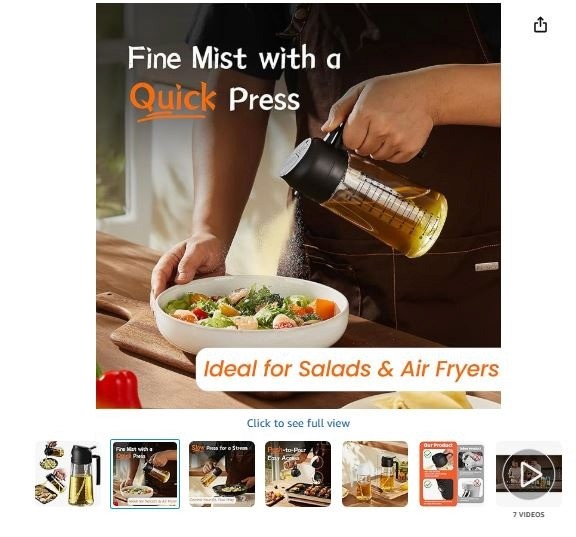
Example of an Amazon main image that grabs customer attention
Here are the main hacks for creating a main image that stands out:
White background: Use a pure white background to ensure your product is the main focus without any distractions.
High resolution: Ensure your image is at least 1,000 pixels on the longest side. This allows the zoom feature to work properly, giving customers a closer look at the product.
Full product visibility: The product should fill at least 85% of the frame to ensure it is clearly visible and the customer can easily see all the details.
Latest packaging: Always show the most up-to-date version of your product’s packaging, labeling, or branding. This helps avoid confusion and builds trust with customers.
Correct scale: Keep the product’s size realistic. Avoid misleading angles or close-ups that make the product appear larger or smaller than it actually is.
No props: Keep the image simple, only include what’s part of the purchase. Adding extra items may result in listing suppression or customer confusion.
Unique selling point (usp) visibility: Highlight what makes your product stand out, such as a premium finish, a special design, or a key feature like eco-friendliness. This helps buyers understand what makes your product special.
Bundle/multi-pack clarity: If you’re selling a set, make sure all items are displayed clearly, so customers understand what they’re getting and know if it’s a single item or a multi-pack.
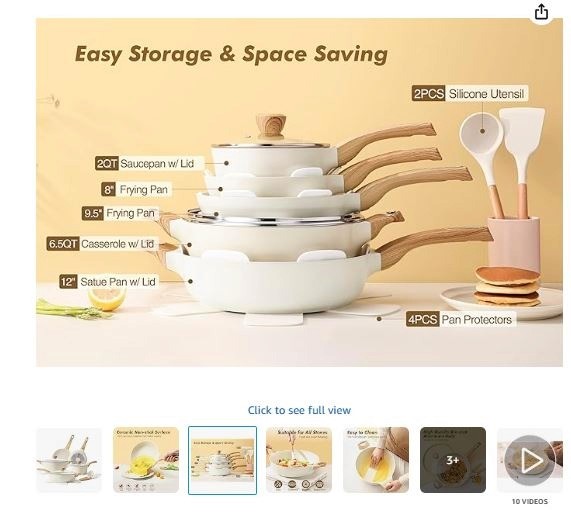
Example of a main image showing multi-pack clarity
Step 2: Use infographics to build buyer confidence
Infographics are a powerful tool for guiding shoppers to make confident buying decisions on Amazon. They visually present key product information in an easy-to-understand way, helping customers quickly absorb details without having to read through long descriptions. This is especially helpful for mobile users or those who prefer visual learning.
How to use
A great set of infographics can tell a persuasive visual story that attracts and educates your audience. Here’s how to create effective infographics for your secondary images:
Highlight features and benefits: Instead of just listing specifications, show how your product features will directly benefit the customer.
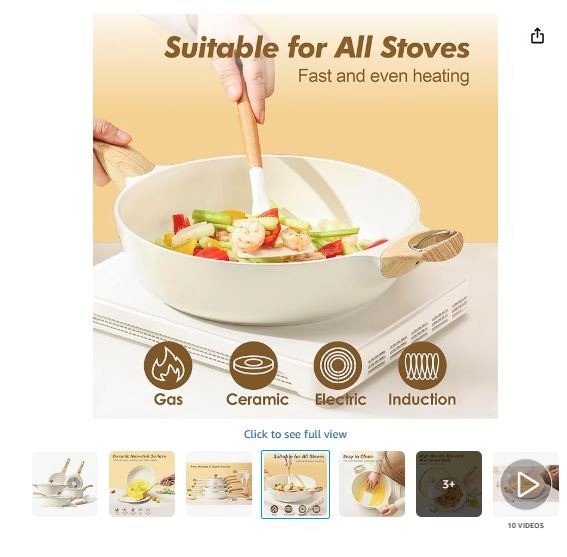
Example of a product showing its benefits
Use visual cues: Icons, badges, and clear fonts can help draw attention to key selling points, making them stand out without overwhelming the viewer.
Show size & scale: Many returns happen because customers misunderstand the product's size. Including a dimension image with clear height, width, and length measurements can prevent this. Adding a familiar object, like a ruler or smartphone, gives context to the scale.
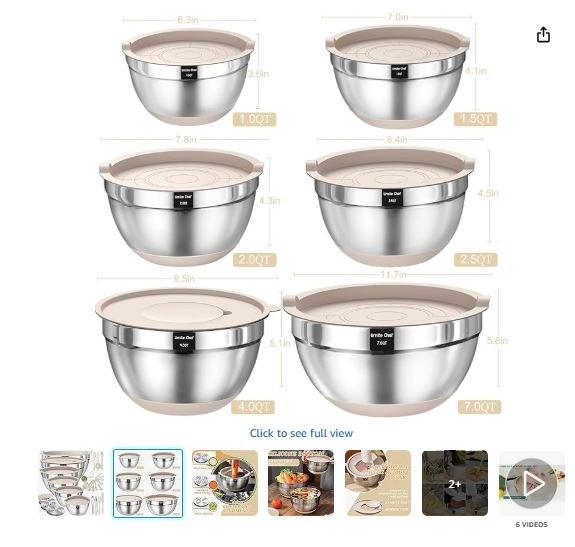
Example of a brand illustrating the size of its products
Explain how to use: Show customers how to use your product through simple step-by-step visuals, especially if it requires assembly or has a learning curve.
Display what’s included: Show all components or accessories included with the product. This sets proper expectations and prevents confusion, reducing the risk of negative reviews.
By using these strategies in your infographics, you’ll help buyers make quicker, more confident purchasing decisions, leading to higher conversions and fewer returns.
Step 3: Add lifestyle images to show the product in use
Lifestyle images are an essential part of creating Amazon listings that convert. These images show your product in a real-world context, helping customers visualize how it fits into their everyday life. Instead of just showing a product by itself, lifestyle images help buyers connect with your product on a personal level.
Why does it matter?
Customers often struggle to imagine how a product will fit into their routine or home. Lifestyle images bridge that gap by showing your product in action, whether it’s being used in the kitchen, on a hike, or at home.
These images help potential buyers picture themselves using it, which increases the likelihood of them making a purchase.
How to use:
Show the product in real-life scenarios: If you’re selling a yoga mat, show someone using it in a peaceful yoga session. If it’s a kitchen gadget, show it being used to prepare a meal in a real kitchen setting.

Product showcase in real-life scenario
Highlight your target audience: Use images that feature the type of people most likely to buy your product. If you’re selling fitness gear, show active individuals using it. This helps potential customers connect with the image and feel like the product is made for them.
Create an aspirational appeal: Use lifestyle images that inspire customers. For instance, if you sell outdoor gear, show it being used in a scenic landscape, appealing to the customer’s sense of adventure.
So, including a couple of well-placed lifestyle images can greatly enhance your listing. It builds a stronger emotional connection, increasing your chances of converting browsers into buyers.
Step 4: Add supporting images, like how to use the image, and specifications
Supporting images are key to creating a high-converting Amazon listing optimisation. While your main image and lifestyle shots grab attention, these additional images provide important details, manage expectations, and build trust with potential buyers.
Before and after images
These images show your product's effectiveness and results. However, be careful, especially with health, beauty, or weight loss products, as Amazon has strict rules on these images.
To make them work, show a clear contrast between the "before" and "after" states, but always set realistic expectations and avoid misleading results. Use authentic, high-quality images, not stock photos.
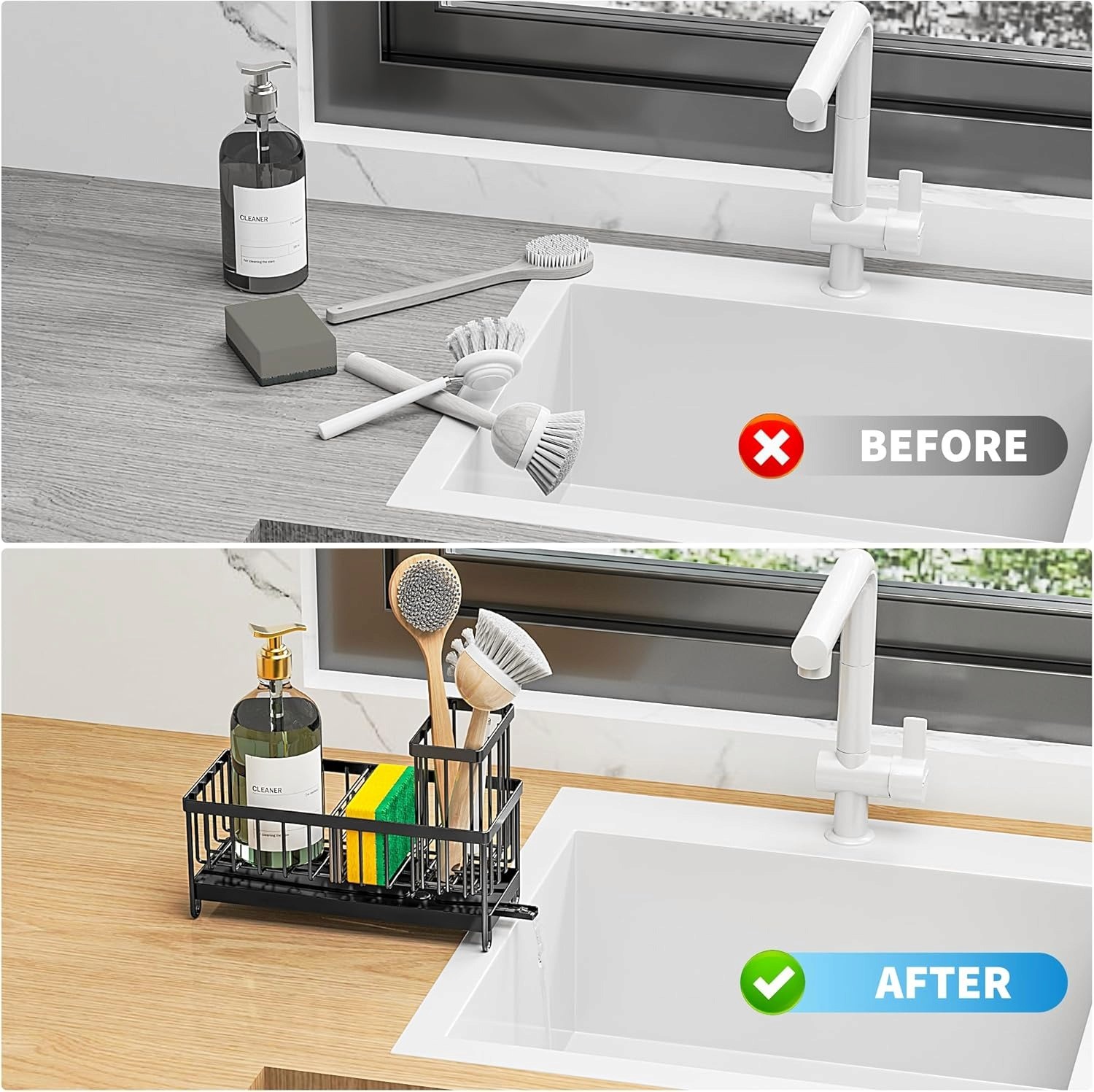
Example of a product before and after use case
How to use images
These images guide customers on how to use your product, helping them feel confident in their purchase. Create step-by-step visuals using simple icons and phrases. Highlight any key features and keep the images clean and simple so the customer can easily follow along.
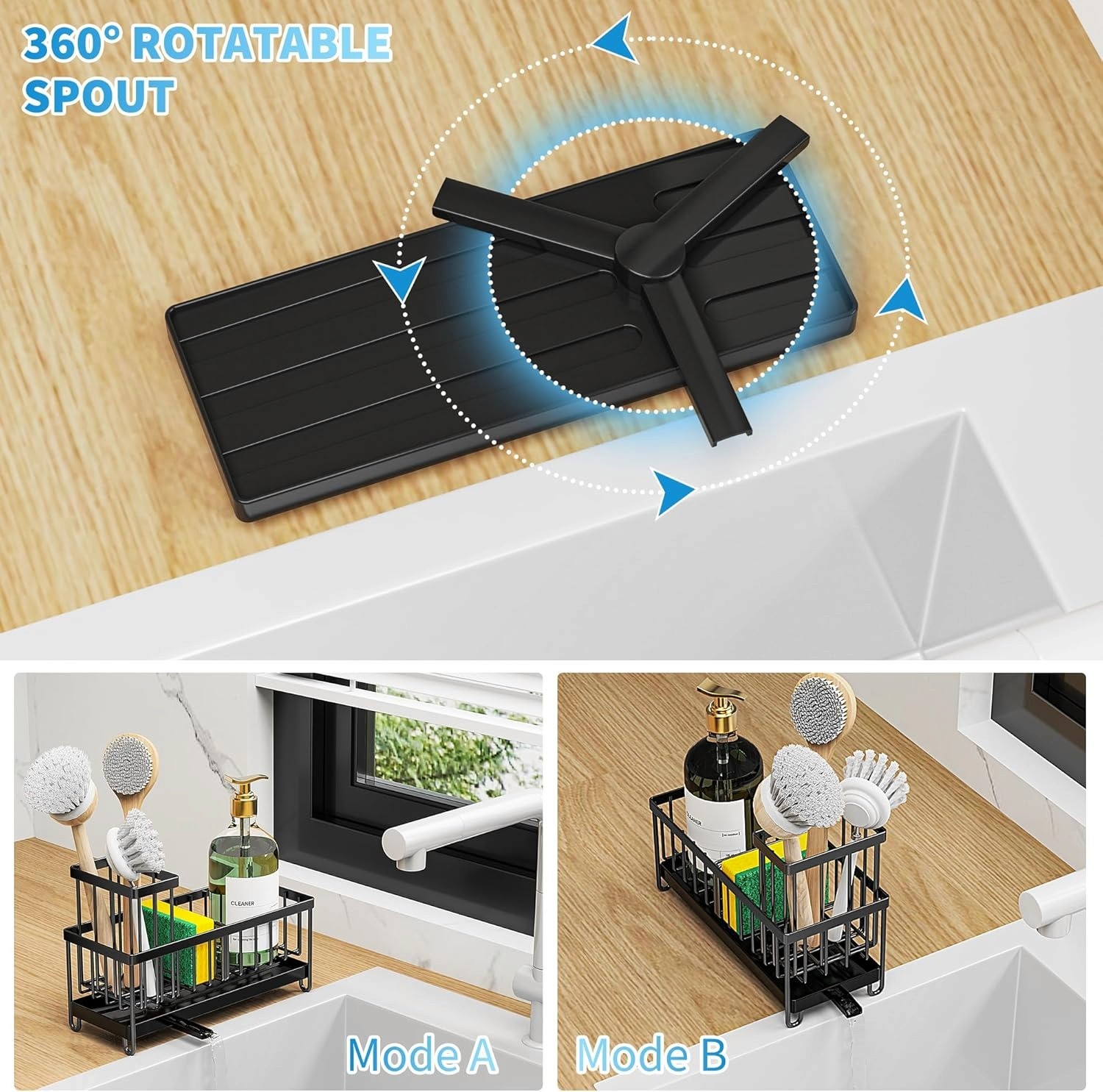
Example of an image showing product use
Specifications images
It helps customers understand key details about size, dimensions, and materials by showcasing this information visually. Use bold text and simple infographics to highlight these details. You can also include answers to common questions about compatibility or sizing, and make sure the text is easy to read on both desktop and mobile.
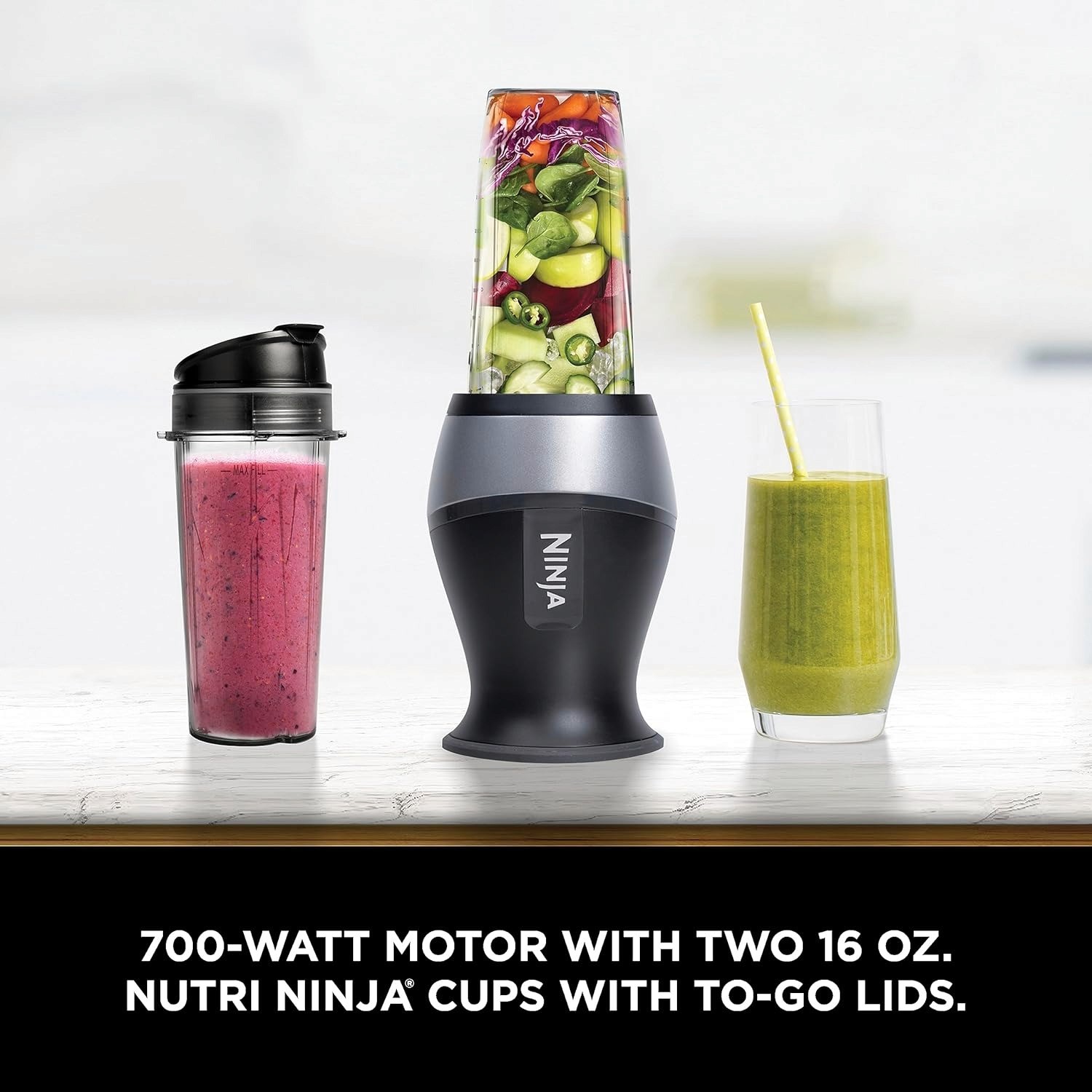
Example of an image showcasing the product specifications
Ingredients or materials related images
Transparency builds trust, so showing the ingredients or materials used in your product is crucial. If you sell food, beauty products, or supplements, show clear, high-resolution images of the ingredient list. If customers have common questions such as "Is it gluten-free?”, use this image to answer those concerns.
By adding these supporting images, you'll give customers the info they need to make confident buying decisions, ultimately boosting your conversion rate.
Step 5: Test and optimize your images over time
Images are not a “set-it-and-forget-it” part of your Amazon listing. Continuous testing and optimization are key to improving your conversion rates and staying ahead of the competition. Regularly updating and refining your images ensures they remain relevant and effective in driving clicks and sales.
#1 Run A/B testing
Amazon’s Manage Your Experiments tool allows Brand Registered sellers to run A/B tests on their images. Start by testing your main image, as it has the biggest impact on CTR. You can try variations like changing product angles, adjusting focal points, or modifying the framing.
For infographics, experiment with different layouts or messaging to see what resonates more. Additionally, you can test the order of secondary images to determine which sequence leads to more engagement.
#2 Track and measure performance
To understand if your image changes are working, track important metrics:
CTR (Click-Through Rate): A higher CTR means your image is attracting more clicks from search results.
Conversion rate (Unit Session Percentage): This shows how many visitors to your page actually make a purchase. Strong supporting images should boost this.
Customer feedback: Pay attention to reviews and Q&As for insights. If there’s confusion about a feature, consider creating a new infographic to clarify.
Final words
Optimizing your Amazon listing images is crucial for driving more traffic and boosting sales. By focusing on key elements like a compelling main image, informative infographics, engaging lifestyle shots, and clear supporting images, you can create a listing that grabs attention and builds trust.
Continuous testing and refinement using tools like A/B testing will help you stay ahead of the competition and improve your CTR. With our AI-powered tool, SellerQIyou can transform your Amazon listing into a high-converting sales machine.
Start your free analysis today!