TL;DR
Strong PPC campaigns begin with smart keyword research, not just high bids or big budgets.
Use Amazon’s free tools like Brand Analytics, Search Term Reports, and Product Opportunity Explorer to find customer-driven keywords.
Paid tools (Helium10, JungleScout, MerchantWords) and reverse ASIN research help uncover competitor keywords and high-converting terms.
Mix broad, phrase, and exact match types, and use negative keywords to cut wasted ad spend.
Track metrics like CTR and ACoS to measure keyword performance and spot “ACoS killers” early.
Branded, non-branded, long-tail, and high-intent keywords together build balanced, profitable PPC campaigns.
Struggling to figure out why your Amazon ads aren’t delivering the results you expect?
Most sellers face the same challenge. The truth is, great PPC campaigns don’t start with high bids or fancy strategies; they start with smart keyword research. The right keywords decide whether your ad budget goes to waste or drives real sales.
That’s why understanding how to build, organize, and measure keywords is a must for every seller who wants to grow on Amazon.
This guide breaks down practical steps, proven tools, and pro tips to simplify Amazon advertising optimizationhelping you find keywords that not only get clicks but also convert into revenue.
How to find winning keywords for Amazon PPC
#1 Use Amazon’s free tools first
If you’re a brand-registered seller, Amazon gives you powerful free tools to build a strong keyword list for your PPC campaigns. With Brand Analytics, Search Term Reports, and the Product Opportunity Explorer, you don’t have to rely on guesswork anymore.
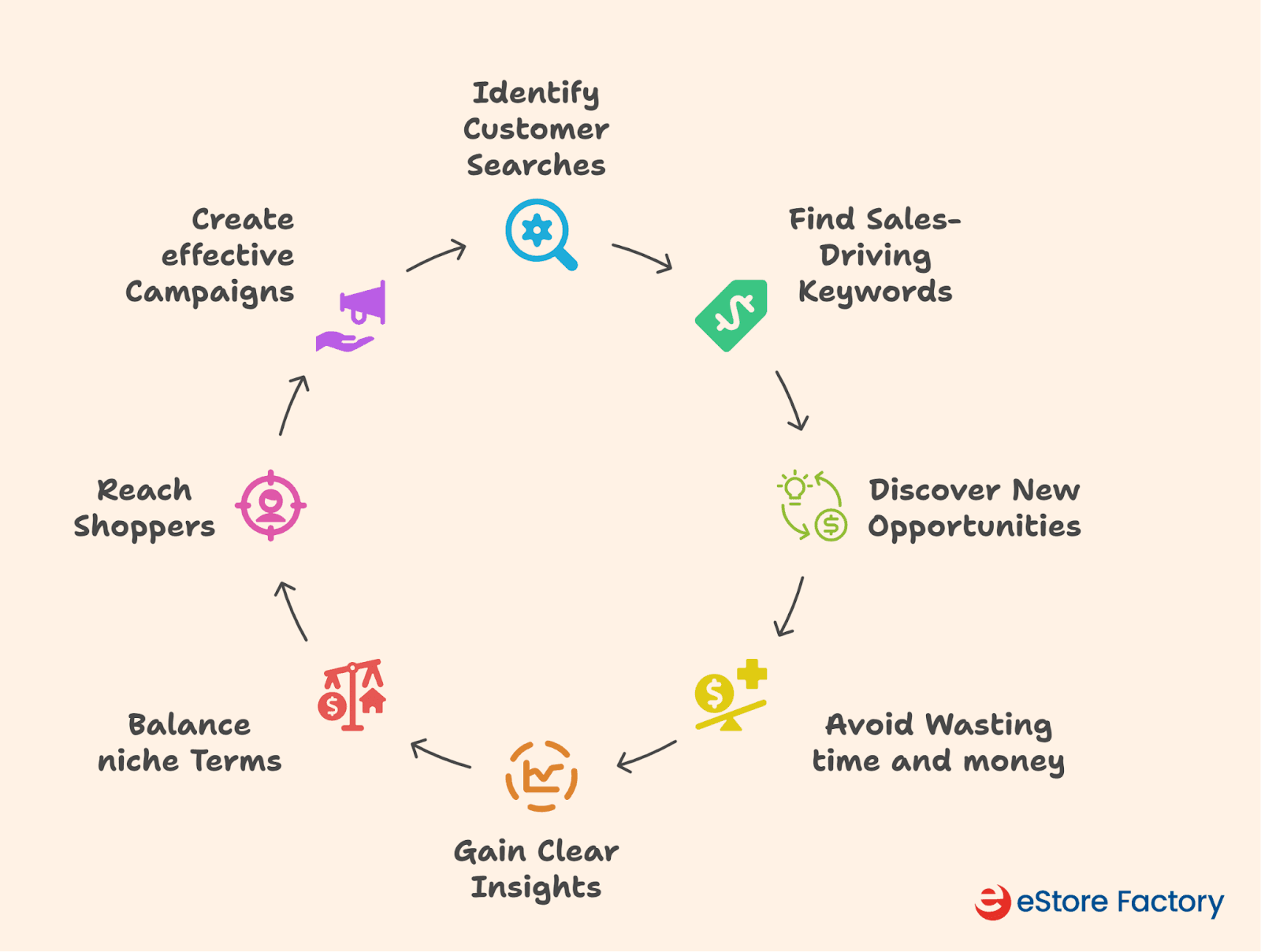
Key Benefits of Using Amazon’s Free Tools
Let’s take a closer look at each free tool and how it works.
Brand Analytics
Brand Analytics is a free tool that helps you understand how customers search on Amazon, enabling you to build a smarter Amazon PPC strategy. Two reports are beneficial:
Search Query Performance (SQP) and Top Search Terms.
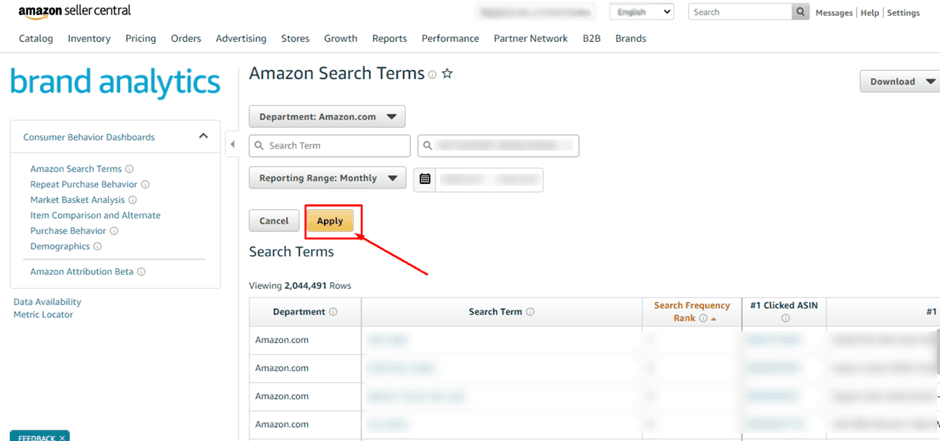
Amazon Brand Analytics
The SQP report shows you the exact search terms customers use to find your products. You also get data on impressions, clicks, add-to-carts, and conversions. Use this to pick out keywords with high conversion rates for your exact match campaigns.
It also helps you spot search terms with lots of impressions but low clicks, and an opportunity to improve your listing or bid more aggressively.
The Top Search Terms give you the most popular keywords on Amazon. Here, you can see what’s trending in your category and which products are winning the most clicks. You can even plug in competitor ASINs to uncover new keywords you might be missing.
Search Term Report
The Search Term Report is a powerful tool for improving your active PPC campaigns. You can easily download it from the Advertising Reports section in Seller Central, and it gives you clear insights into how customers are finding your products.
Start by spotting search terms from your broad match campaigns that are actually driving sales. Move these into manual exact match campaigns so you can control bids more closely and maximize performance.
Next, look for search terms that are getting up clicks but not converting into sales, or those with very high ACoS. These should be added as negative keywords in your campaigns to stop wasting budget.
Finally, check the “Customer Search Term” column. It shows the exact phrases shoppers typed in. If your ad is showing for irrelevant terms, refine your keywords or listing content to stay focused on the right audience.
Product Opportunity Explorer
It is more than just a product research tool; it can also play a big role in sharpening your PPC campaigns. Analyzing customer search and purchase patterns in specific niches highlights unmet needs and trending keywords that other sellers might not be targeting yet.
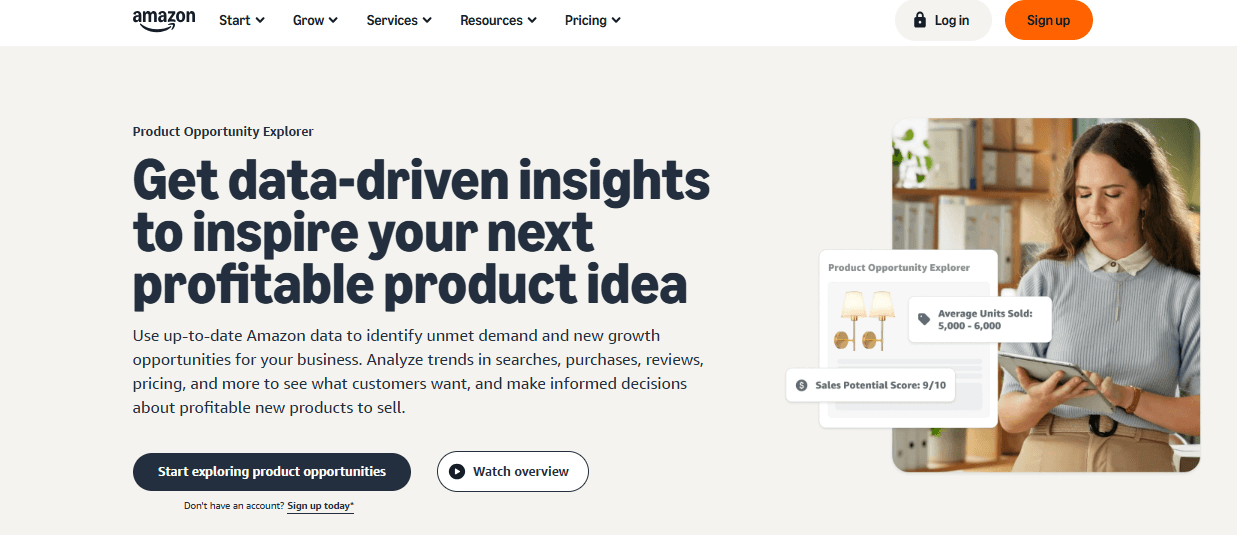
Dashboard Interface Of The Product Opportunity Explorer
For PPC, this means you can go beyond the obvious high-competition terms and discover fresh opportunities. For example, you might find a rising keyword with strong customer demand but fewer products competing for it.
Adding these keywords to your campaigns allows you to capture traffic earlier and at a lower cost, before competition heats up.
Pro-tips for making your own keyword list
Use auto campaigns to discover keywords: Start with an automatic campaign and let Amazon find keywords for you. After a few weeks, check the Search Term Report and move winning terms into manual campaigns.
Mix and match types: Use Broad for discovery, Phrase for testing, and Exact for high-converting keywords. This balance helps you cover reach and precision.
Keep keywords organized: Group similar terms together. For example, separate campaigns for branded keywords and generic ones make tracking and optimization much easier.
#2 Use paid tools for keywords
Paid tools like Helium10, JungleScout, and MerchantWords can support your keyword research by showing estimated search volumes, related keyword suggestions, and competitor keyword usage. This helps you see which terms customers are searching for most and how other sellers are positioning their products.
Using these insights, you can build a broader and more informed keyword list for your PPC campaigns. While not a replacement for Amazon’s own data, these tools can give you additional angles to refine and improve your targeting.
3. Reverse ASIN keyword research
Reverse ASIN keyword research is a simple way to see which keywords are actually driving sales for a specific product. Tools like Helium 10 Cerebro let you enter an ASIN and instantly uncover the search terms that bring traffic to that listing.
This helps you understand what’s working for competitors and where your own opportunities might be. By analyzing these keywords, you can spot high-converting terms to add to your PPC campaigns and identify gaps in your current targeting. It’s a practical method to build a keyword list based on real market performance, not just assumptions.
4. Amazon’s autocomplete
Amazon’s autocomplete is one of the easiest ways to find new keyword ideas for your PPC campaigns. When you start typing a word in the search bar, Amazon automatically suggests popular phrases that customers are already searching for.
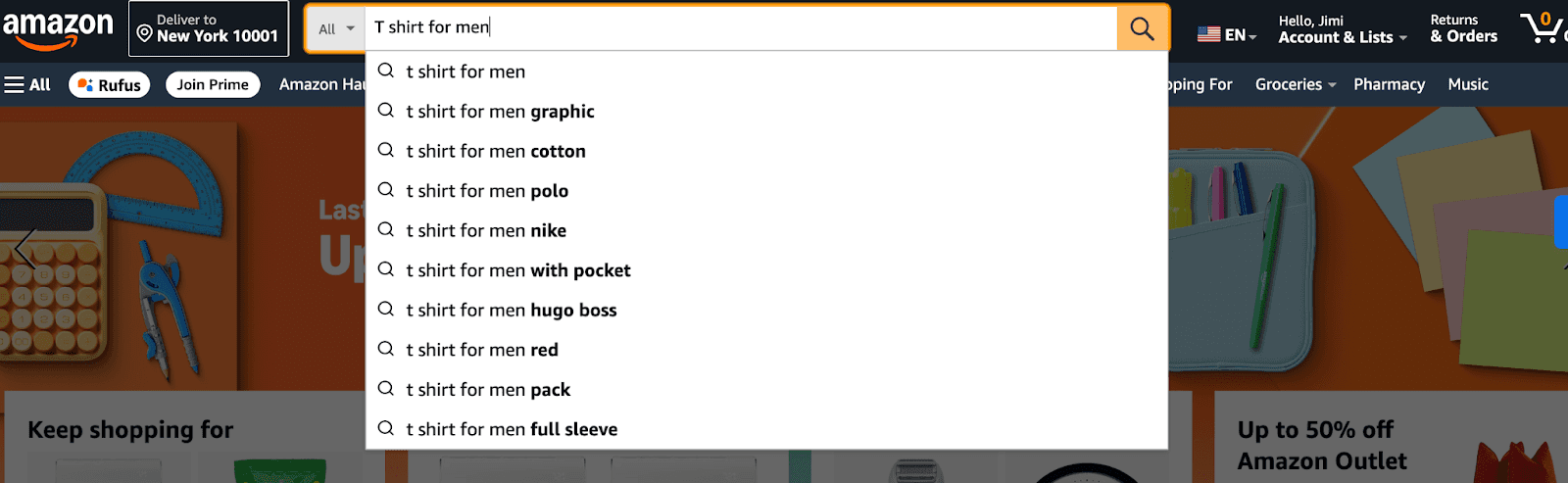
Example of Amazon’s Autocomplete For Keyword Research
These suggestions often include long-tail keywords that show buying intent. By collecting these autocomplete phrases, you can discover relevant keywords you might not have thought of. It’s a quick, free, and effective way to expand your keyword list with terms real shoppers are using.
5. Branded terms
Branded keywords are some of the most valuable assets for building a strong PPC campaign. When shoppers search using your brand name, it means they already recognize you and are closer to making a purchase.
That’s why branded terms often deliver the highest conversion rates and the lowest ACoS compared to generic keywords. From a keyword research perspective, branded searches show how well your brand awareness is growing on Amazon.
The more people type your name, the stronger your brand presence becomes. Including branded terms in your campaigns helps you protect your space, boost sales, and track brand visibility.
Type of Keyword | Example Keywords |
Branded Keywords | Nike running shoes Apple iPhone charger Dyson vacuum filter |
Non-Branded Keywords | running shoes for men fast charging phone charger vacuum cleaner filter |
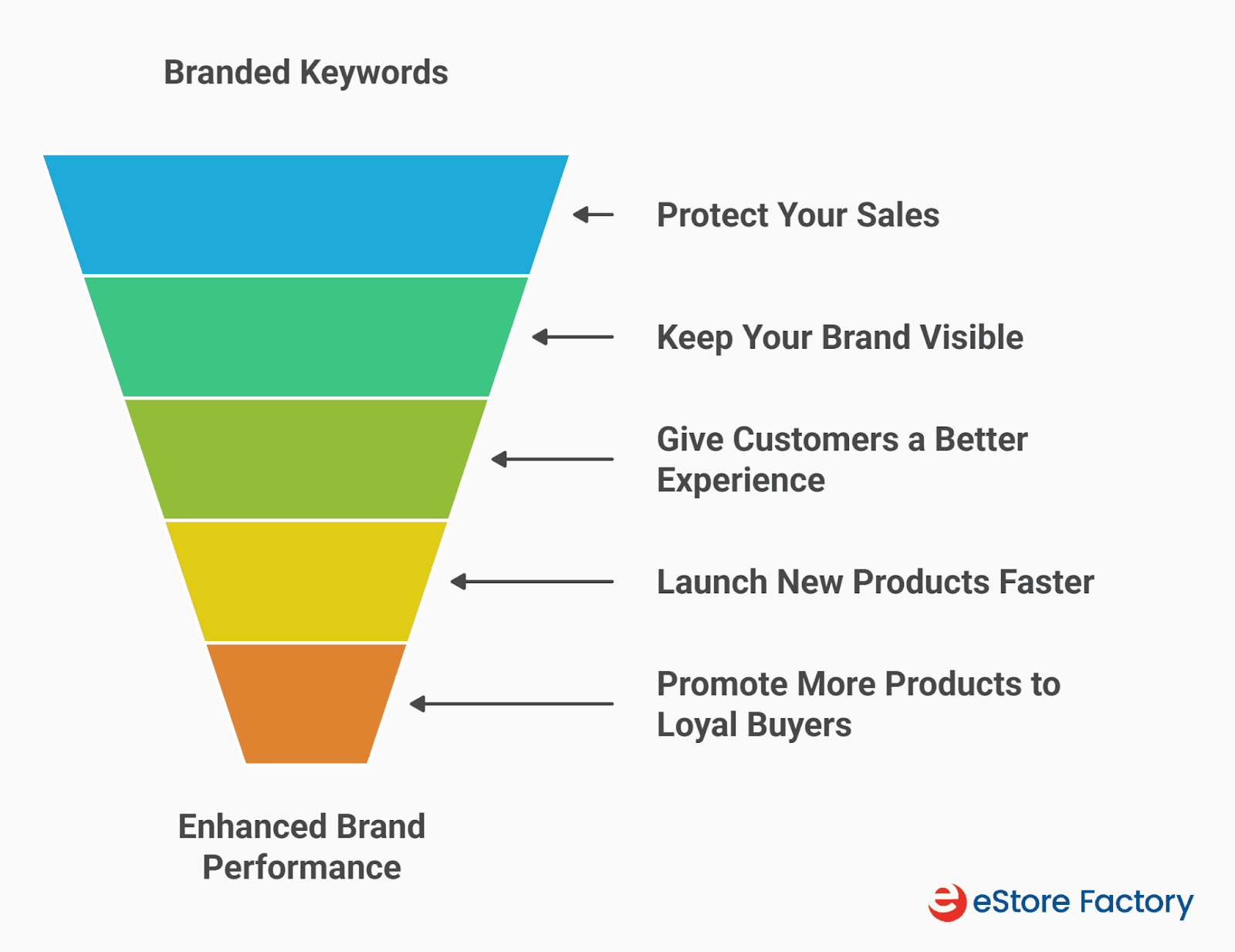
Why You Shouldn’t Ignore Your Branded Keywords
Key things to know while doing Amazon PPC keyword research
1. Customer-first approach
The most important rule in keyword research is to think like your customer. A customer-first approach means going beyond tools and really understanding how shoppers search. Read product reviews and Q&A sections to see the exact words people use when talking about your product.
Combine this with Amazon’s autocomplete to discover how buyers phrase their searches. For example, someone might search for “collagen powder,” while another shopper types “coffee collagen.” Both are looking for similar products, but the intent is slightly different.
If you only target the broad term, you may miss sales from the more specific phrase. Also, pay attention to the exact phrasing of customer questions. If shoppers repeatedly ask, “Is this insulated?” that’s a strong keyword you can add to your backend search terms to capture more relevant traffic.
2. Sort the keywords into match types
Once you’ve built your keyword list, the next step is to sort them into the right match types, such as Broad, Phrase, and Exact. This is important because each match type controls how closely a shopper’s search has to match your keyword before your ad shows up.
Match Type | How It Works | Example | Best Use |
Broad Match | Ad appears for searches that include your keyword in any order, along with related terms. | Keyword: “running shoes” → Ad may show for “best shoes for jogging”. | Great for keyword discovery but may bring irrelevant traffic if not monitored. |
Phrase Match | Keywords must appear in the same order within the shopper’s search. | Keyword: “running shoes” → Triggers for “red running shoes for men”. | Offers more control while still reaching useful variations. |
Exact Match | The ad only shows when shoppers search for the exact keyword. | Keyword: “running shoes” → Ad only shows for “running shoes”. | Best for high-converting, precise keywords where accuracy matters. |
Using all three strategically helps balance reach, control, and conversions in your campaigns.
3. Use keywords across your listing
Keywords aren’t just important for PPC; they’re the backbone of your entire Amazon listing optimisation. The terms you discover through keyword research directly influence how your product ranks in search and how well it converts.
Instead of treating PPC and listing optimization as separate things, think of them as working hand in hand. The keywords that perform best in your ads should also guide how you write your titles, bullets, and even A+ Content.
Take this example: let’s say your PPC data shows that “insulated water bottle for travel” converts better than the broader term “water bottle.” You can use this insight to optimize your listing:
Product title: Instead of “Your Brand 24oz Water Bottle,” write “Your Brand Insulated Water Bottle for Travel – 24oz Stainless Steel with Leak-Proof Lid.” This speaks directly to travel-focused shoppers.
Bullet points: Swap “Keeps your drink cold all day” with “Perfect for travel: our insulated water bottle keeps drinks cold for 24 hours, making it ideal for flights, commutes, and road trips.”
A+ Content (alt text): Instead of generic alt text like “Picture of water bottle,” write “24oz insulated water bottle in a car cup holder during travel.”
This approach aligns PPC insights with your listing, boosting visibility and conversions together.
What type of keywords add to an Amazon PPC campaign?
When building your PPC campaigns, it’s not just about adding as many keywords as possible; it’s about choosing the right mix that helps you reach new customers while converting efficiently. Here are the main types to include:
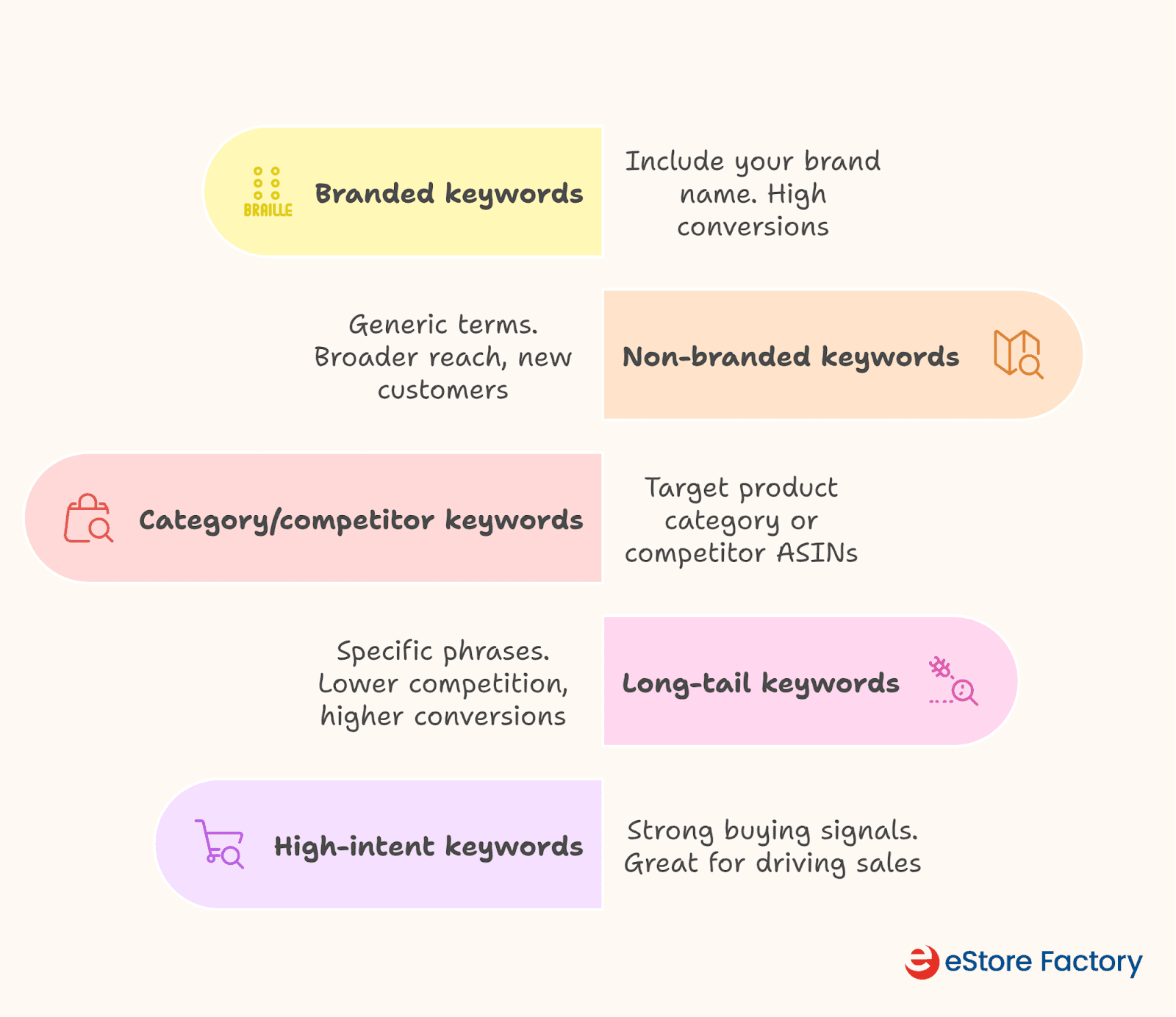
Type of keywords to add to your PPC campaign
How many keywords should you add to a PPC campaign?
When it comes to how many keywords you should add to your Amazon PPC campaign management, there isn’t a one-size-fits-all answer. A common rule of thumb is to keep it under 30 keywords per ad group. You’ll often hear 20–25 keywords as a recommendation, but that number isn’t always right for every business.
What really matters is quality over quantity. Ten highly relevant keywords that convert are much better than 50 random ones that just waste your budget. The right number depends on your ad content, your audience, and what shoppers are actually searching for. Start small, focus on strong keywords, and expand as you see results. This way, your campaigns stay efficient and deliver better performance.
How to measure Amazon PPC keyword performance?
1. Monitor your key metrics
Running PPC campaigns is one thing, but knowing which keywords are actually working is what makes the difference. To measure keyword performance, you need to focus on a few key metrics, starting with CTR (Click-Through Rate) and ACoS (Advertising Cost of Sale).
CTR tells you how attractive your ad is to shoppers. If a keyword gets impressions but very few clicks, it could mean your ad isn’t standing out, or the keyword isn’t relevant to your product.
For example, if “stainless steel water bottle” has a 0.2% CTR while “insulated water bottle” has 1.5%, the second keyword is clearly more aligned with what customers want.
ACoS shows how profitable your keyword is. It’s the percentage of ad spend compared to sales. A lower ACoS means your keyword is driving sales efficiently, while a higher ACoS signals wasted spend. For instance, if you spend $20 on the keyword “travel water bottle” and generate $100 in sales, your ACoS is 20%. That's a solid performance.
Scenario | What It Means | What To Do |
High CTR, High ACoS | People click but don’t buy. Listing not converting. | Improve price, reviews, images, and content. |
Low CTR, High ACoS | Few clicks, and no sales. Poor keyword match. | Stop targeting or add as negative keywords. |
2. Identify irrelevant keywords
One of the biggest drains on your PPC budget is letting irrelevant keywords run for too long. These “ACoS killers” eat up clicks without giving you sales. For example, if you sell a stainless steel travel mug and your ad shows up with the keyword “plastic coffee cup,” shoppers may click, but they won’t buy. That means wasted spending and a high ACoS.
The fix is to spot these early in your Search Term Report and add them as negative keywords. Cutting out irrelevant terms helps you protect your budget and focus on keywords that actually convert.
How to identify ACoS killers:
High CPC, Low Conversion
Low CTR, Low Conversion
High Number of Clicks, Low Conversions
#3 Use negative keywords
Negative keywords are one of the easiest ways to cut wasted spend in your PPC campaigns. They stop your ads from showing up for irrelevant searches that bring clicks but no sales. For example, if you sell a stainless steel water bottle, and your ad shows a “plastic water bottle,” shoppers may click but won’t buy, draining your budget.
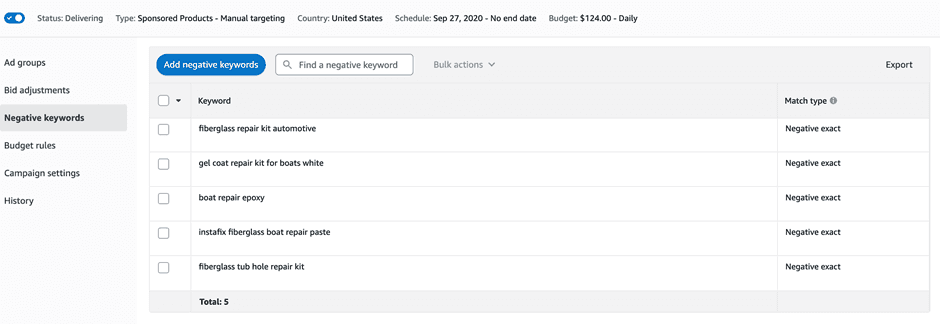
Adding Native Keywords to Your Ppc Campaign
By adding “plastic” as a negative keyword, you prevent your ad from appearing in those searches. Regularly check your Search Term Report, find low-converting or irrelevant terms, and add them as negatives to keep your campaigns efficient and profitable.
The bottom line
At the end of the day, winning with Amazon PPC isn’t about spending more; it’s about using the right keywords in the right way. From free Amazon tools to paid platforms and smart use of negative keywords, every step in keyword research shapes how far your ads go.
If this feels overwhelming, our AI-powered tool, SellerQIis the perfect solution. It instantly analyzes, optimizes, and scales your Amazon business with AI-powered insight. It can help you save time, avoid costly mistakes, and build campaigns that actually convert.
Ready to take your advertising to the next level? Start optimizing your keywords today and watch your PPC campaigns deliver real, measurable growth.